Building an internal CRM around real operational needs. Very fast.
Ops grew around real operational needs. We built multiple workflows inside one platform, using shared foundations to move from demand to working product fast. 2024–2026
- Role
- Senior Product Designer at Phi Health. Design, prototyping and building in code, with the founders and the ops team.
- Goals
- An independent system that replaces external tools, scales with the company and stays on brand.
Review in progress
Kirk Ouimet, CEO of Phi Health, is writing his review. It lands here when it is ready.
One product, many tools, so Ops’s navigation had to hold them all and scale incredibly fast.
Early Ops had no order: tools landed wherever they fit, and some parts of the app were reachable only by a link. I proposed a pattern that splits focus into a few categories, one workspace per domain with its own sidebar, the way ElevenLabs does it, and compressed everything we had into those four. New tools now have a place before they exist.
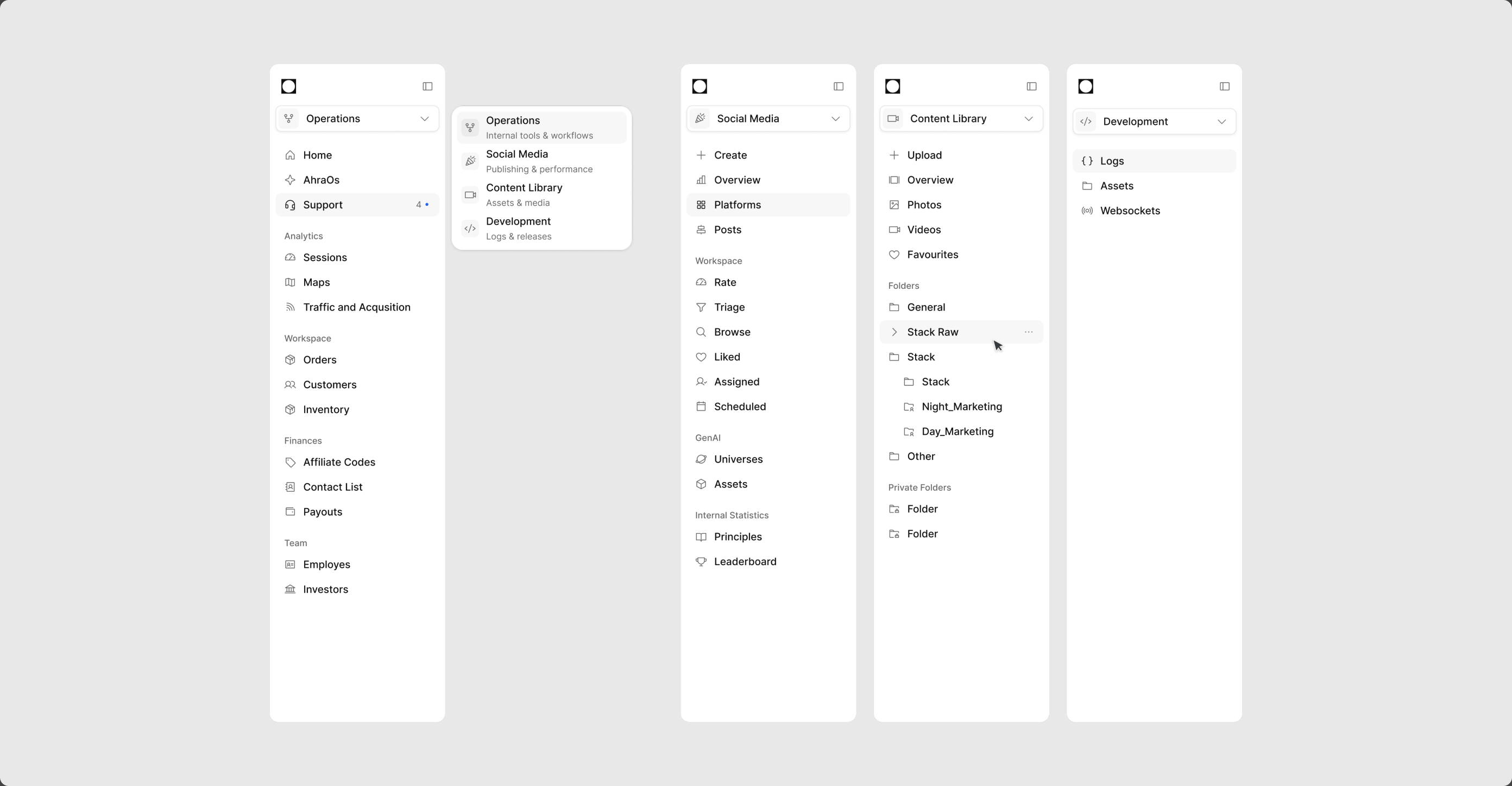
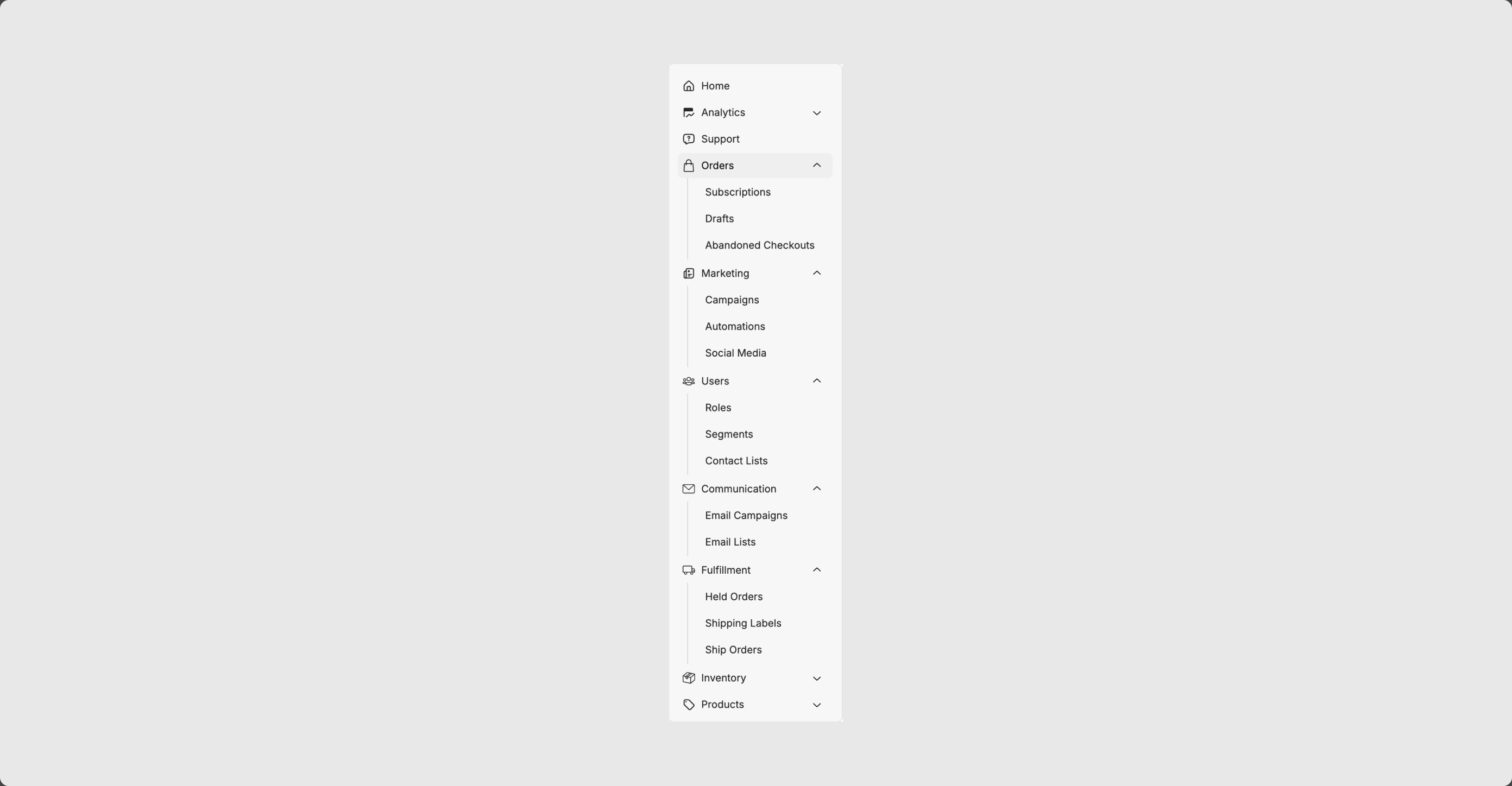
One switcher, four workspaces: Operations, Social Media, Content Library, Development. Each has its own sidebar, so a new tool joins a category instead of a pile.
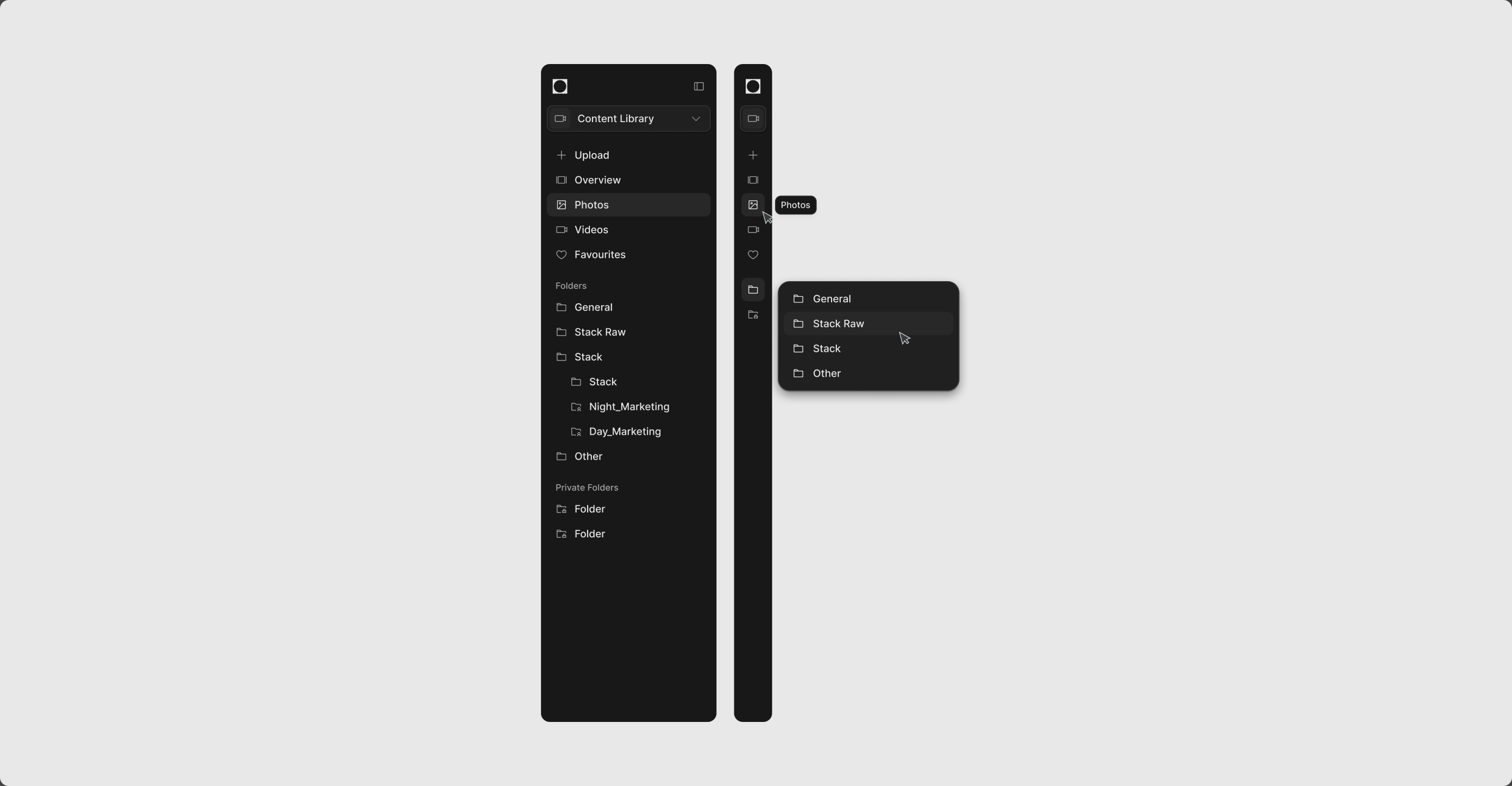
The same sidebar in dark and collapsed to icons, with folders in a flyout. Space for the work, structure one click away.
What Ops has today. One sidebar, every tool folded under an accordion, seven groups and counting. It works until the next tool lands, and the next one always lands.
Google Drive was slowing our design process down, so I built our own gallery in under three weeks.
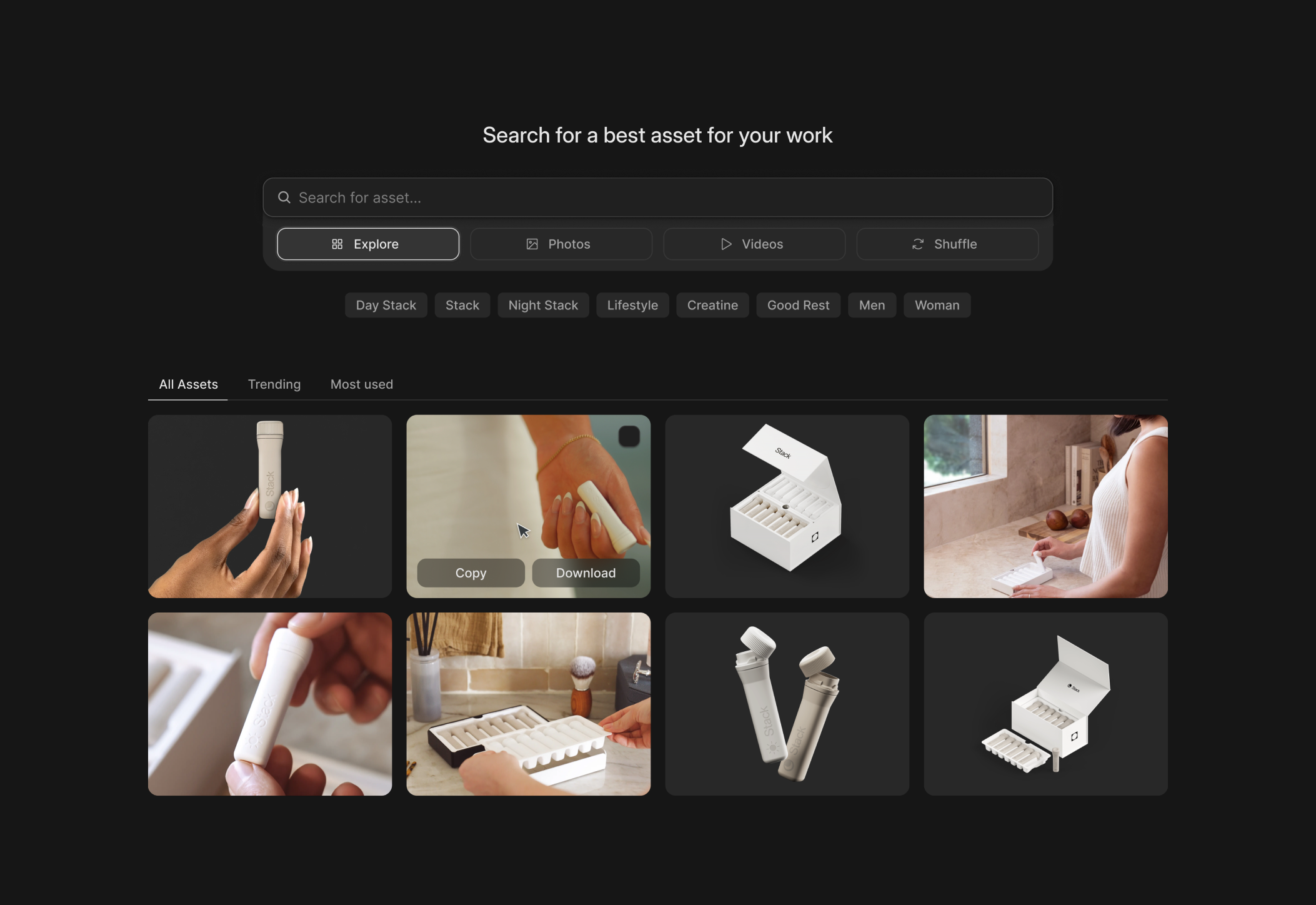
Thousands of photos and clips lived in Drive, and Drive has folders: no real search, nothing you can do with an asset without opening it. I modelled ours on Mobbin, a grid you search and an asset you open in place. A pattern that works for thousands of designers was proof enough. Mocked and coded in Claude Code, running on our dev environment.
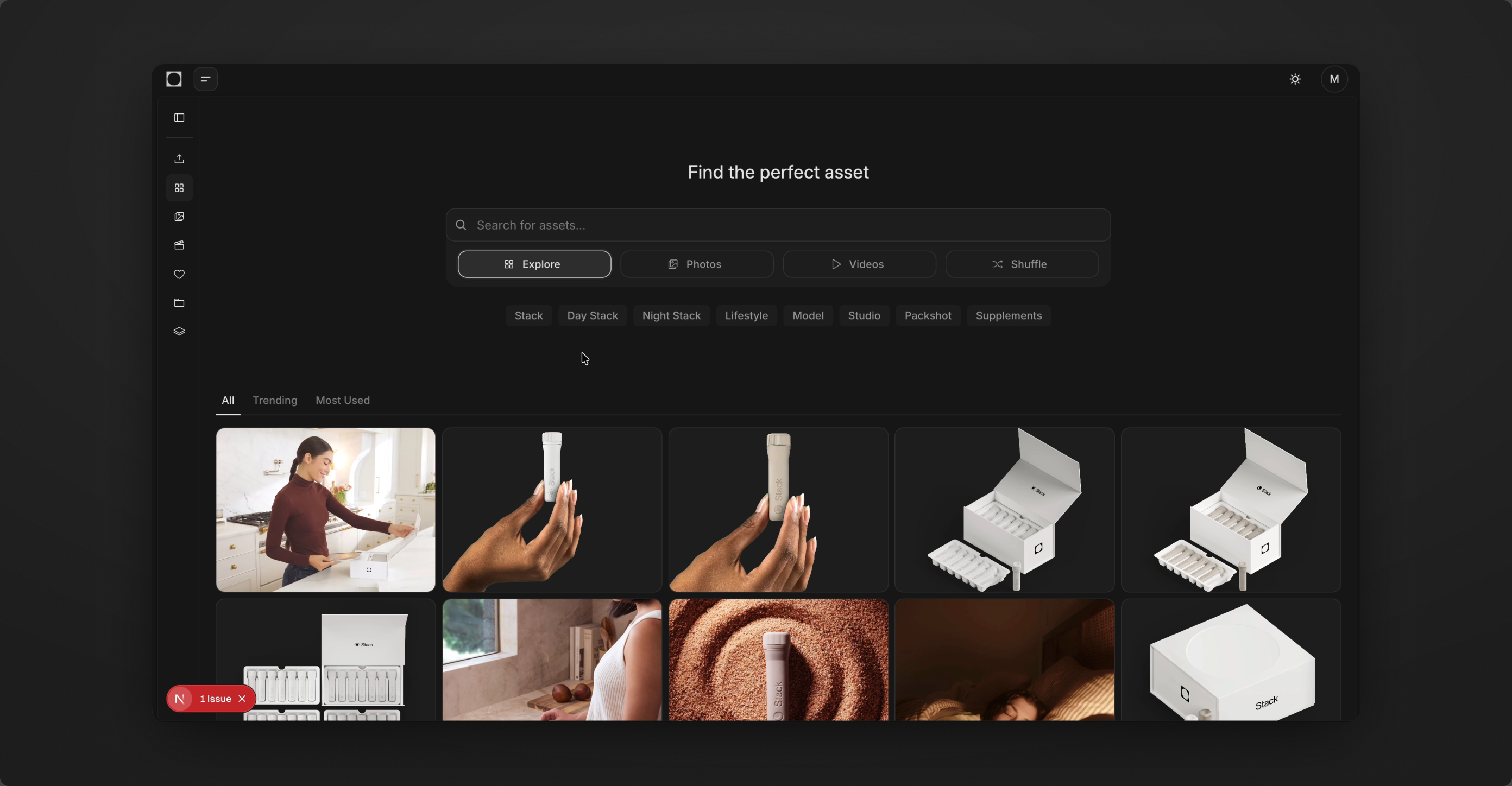
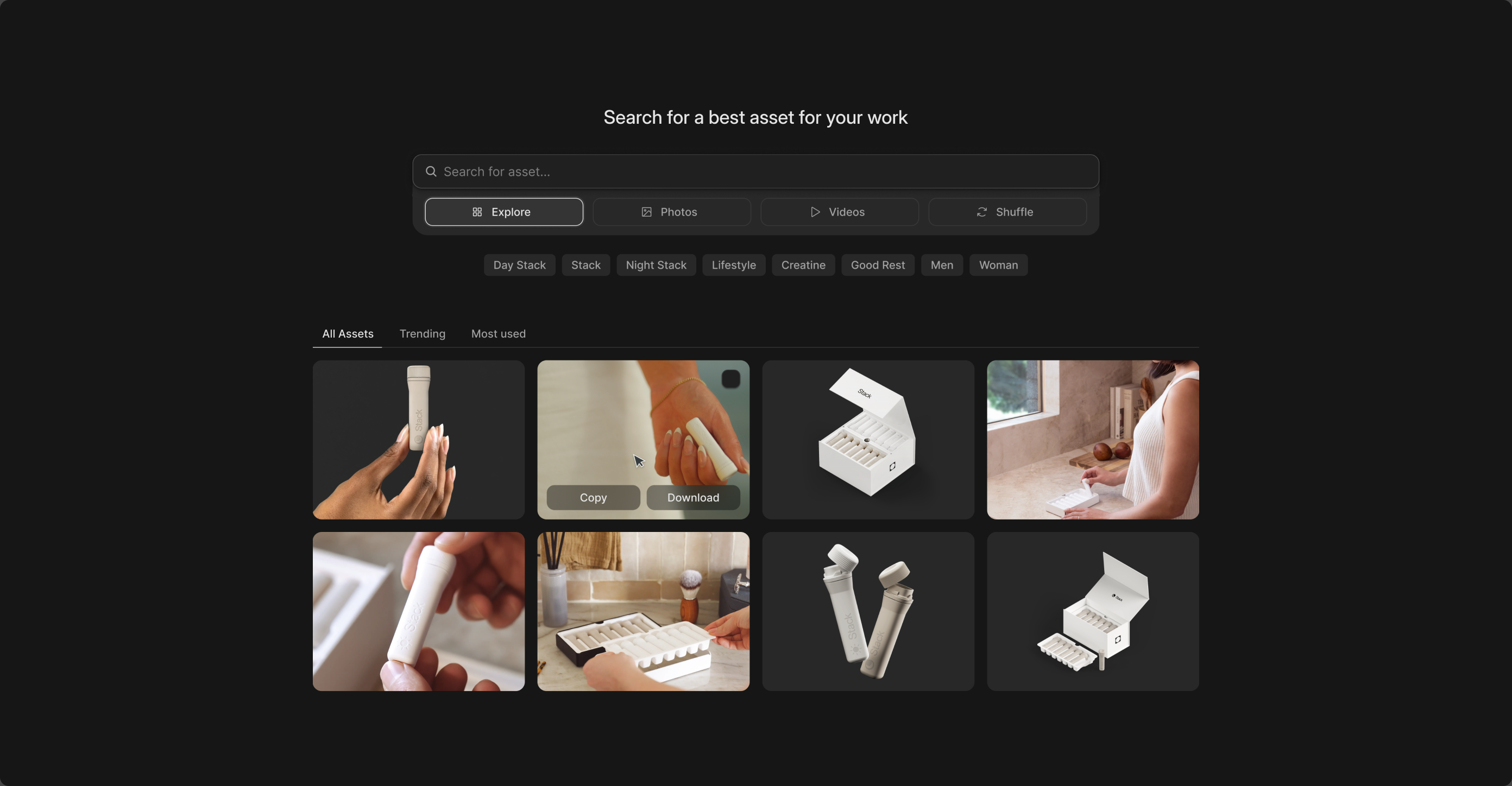
Running on the dev environment, still inside the old Ops layout. The basic flow, browse and find, already did what Drive could not.
Search, then copy or download straight from the grid. In hours-long design sessions at Phi this is what made iterating on marketing and website drafts fast. Next step, the same library as an MCP or a Figma plugin.
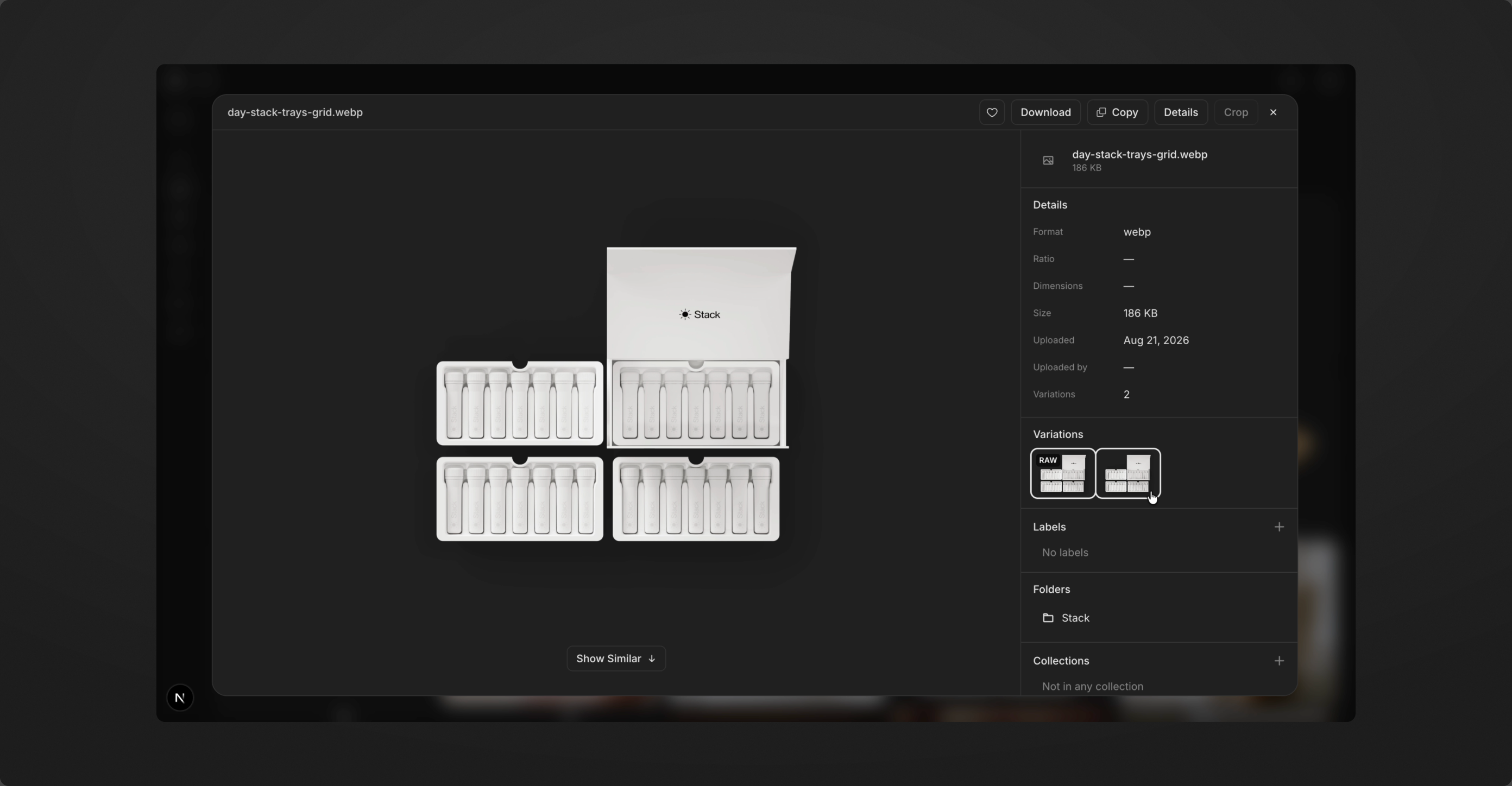
The asset dialog. Everything attached to one file: details, linked variations, folders, labels, and Show Similar for the crops that already exist. Quick actions Drive never had. The goal was maximum control in the simplest form.
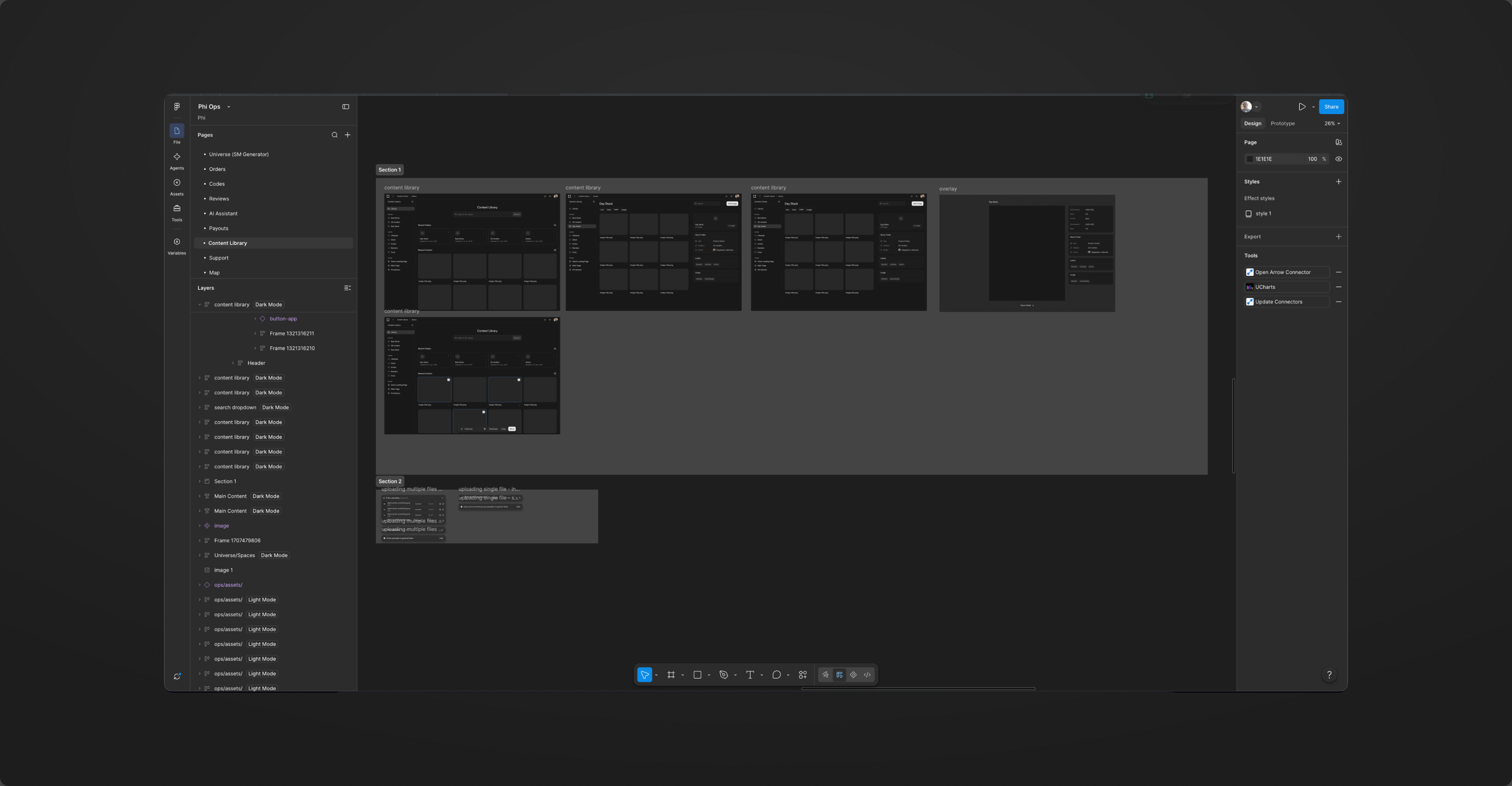
What Claude got: a link to this Figma frame and a request to prototype it. That is the whole handoff.
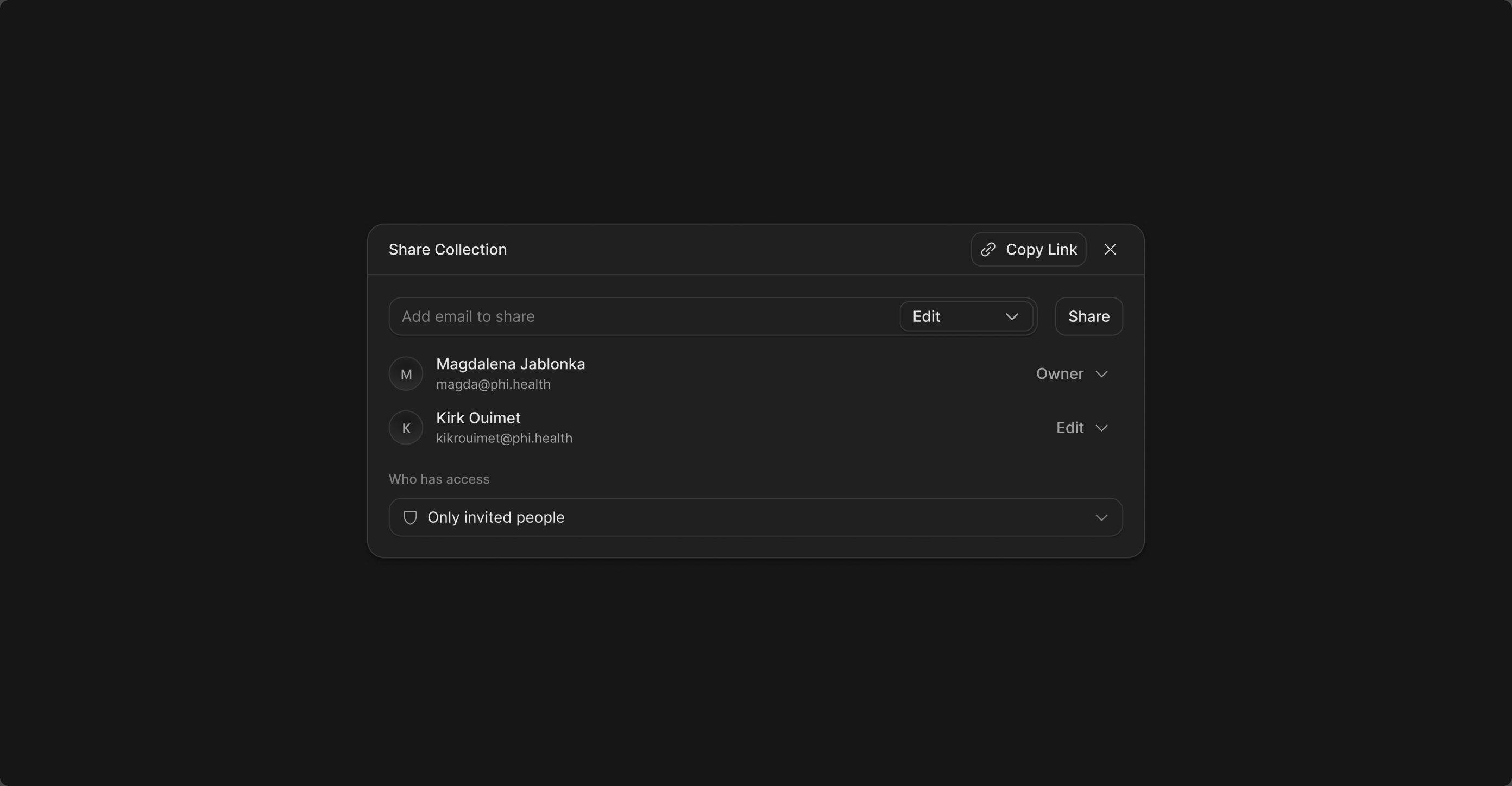
Collections can be built and shared with the team or with people outside it, without giving anyone the whole library.
A builder for social media concepts, taken from idea to mid-fi UI in under a week.
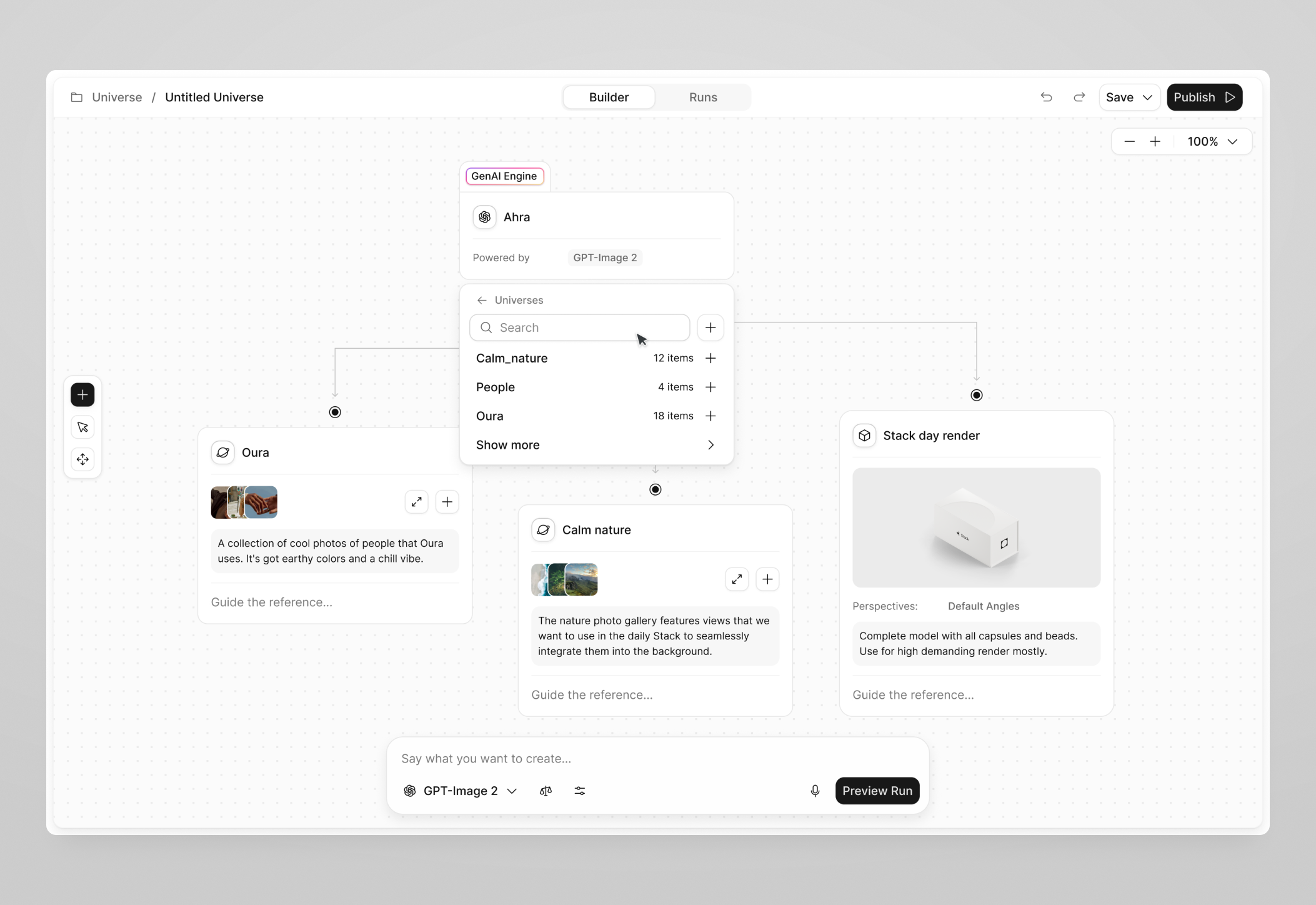
The brief was to let a non-technical teammate generate social media concepts from references like Oura or IM8. I started with a Figma-like tool full of controls, promising for designers and overwhelming for everyone else. Each pass took tools away. The final draft is one canvas and one prompt, with the settings behind a right panel for whoever needs them.
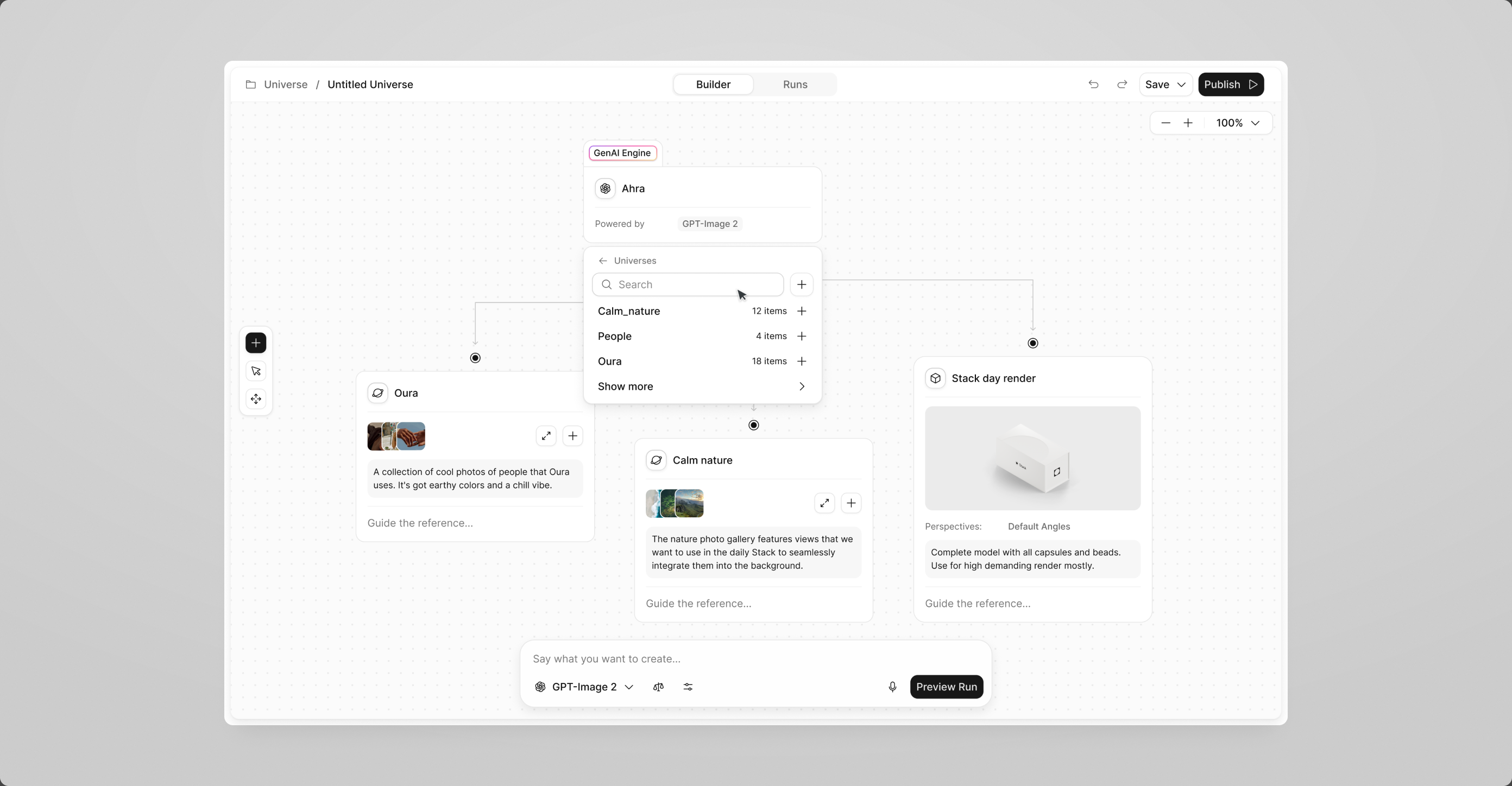
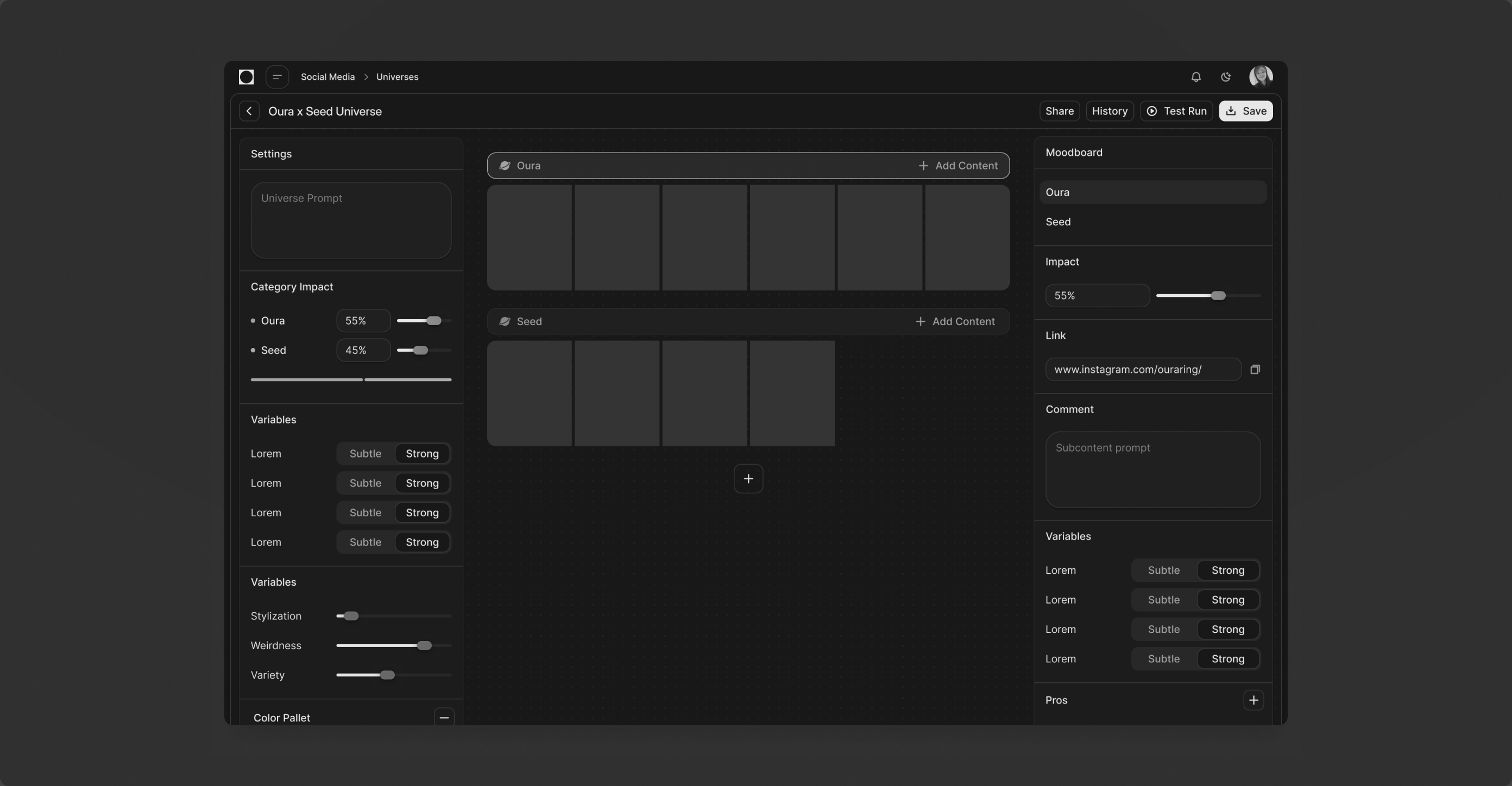
One prompt and a light canvas. The reference nodes do the work, and the extra settings wait in the right panel until someone asks for them.
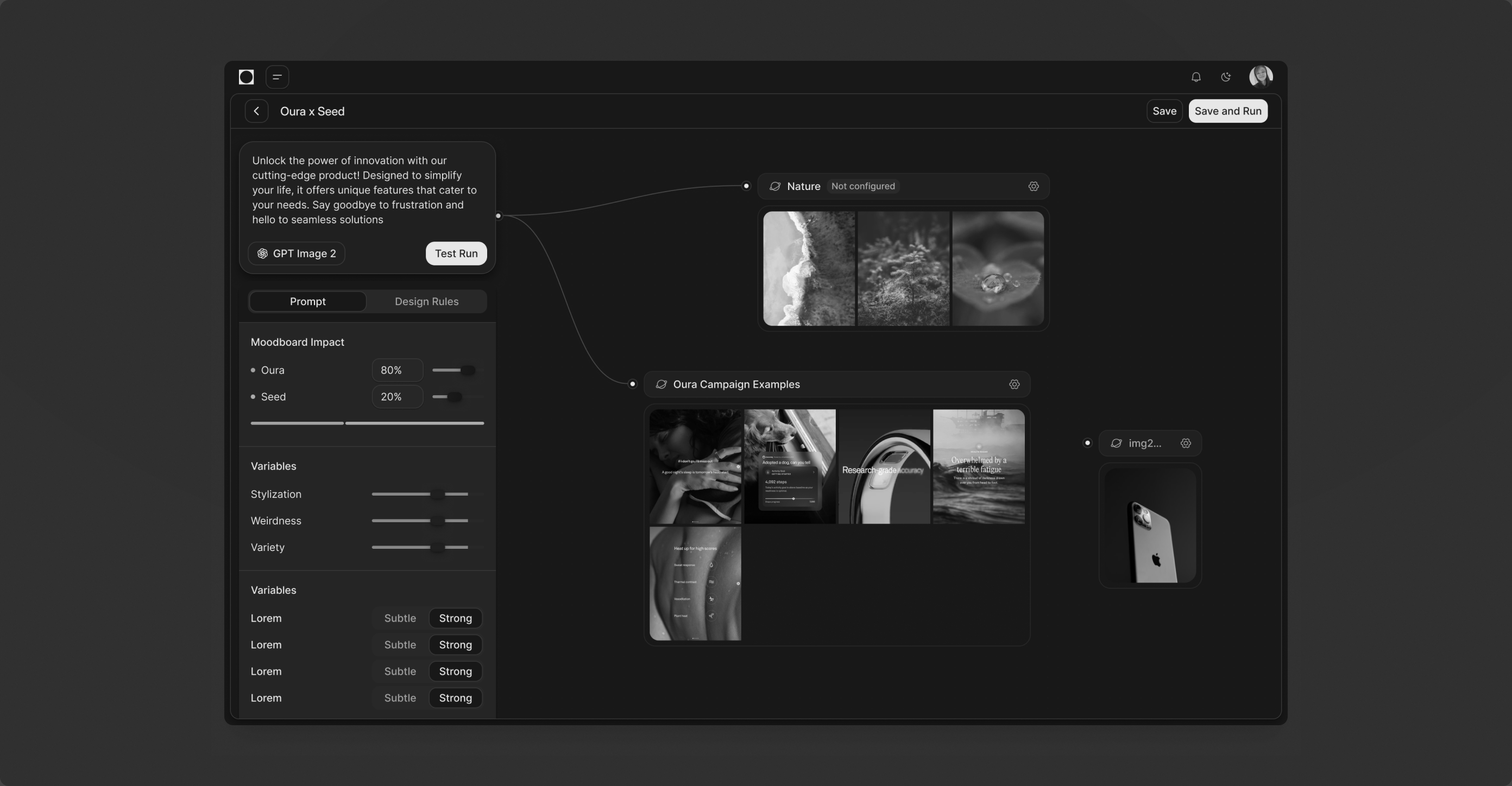
A middle step. Technical controls moved to the left, creating stayed on the right, settings fixed. Clearer than the first, still too much to read at a glance.
The first concept, a Figma-like editor with every tool visible. Promising for designers, overwhelming for the non-technical people it was meant for.
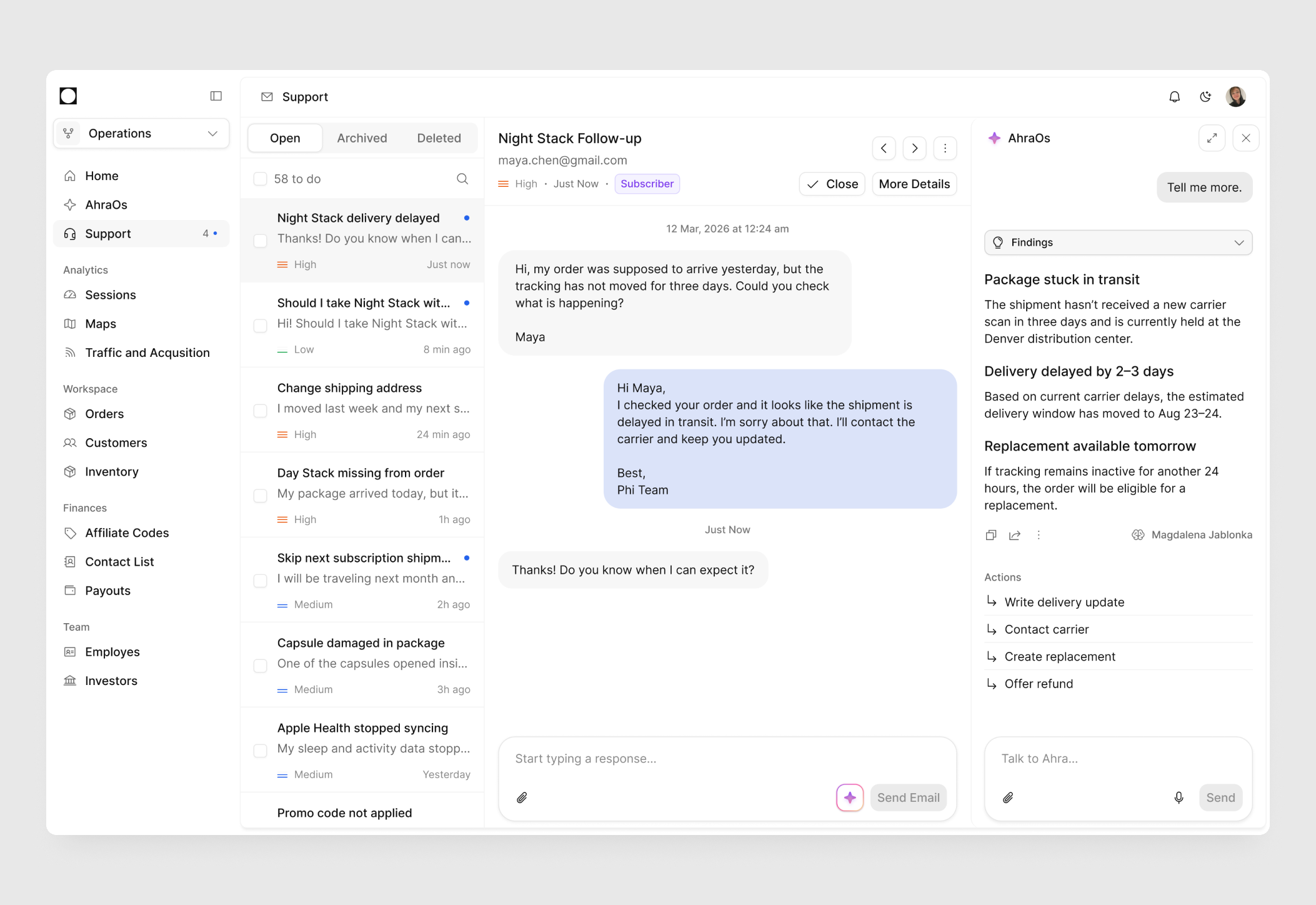
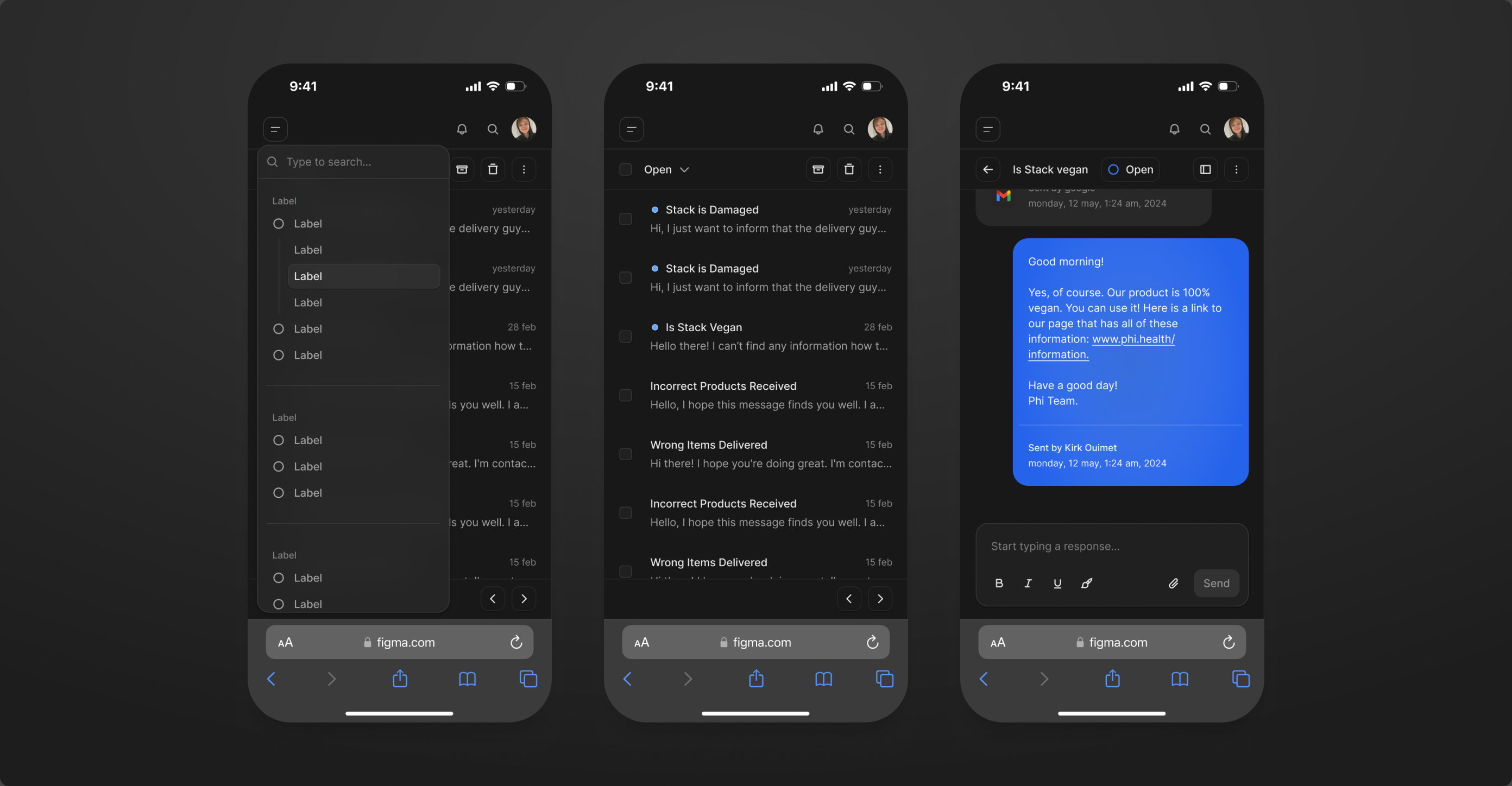
A support inbox built in two days, used daily since, now with Ahra reading every thread first.
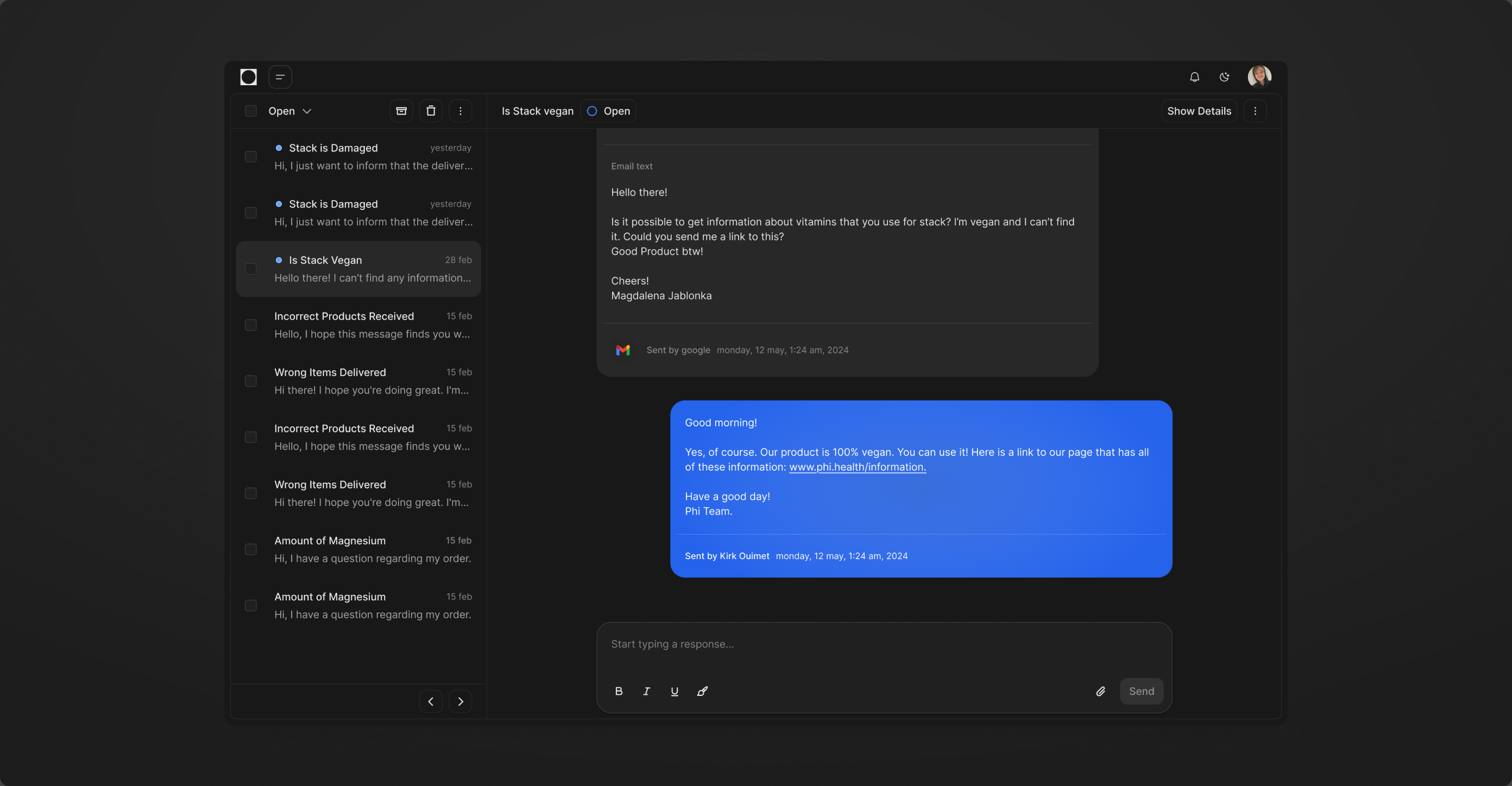
At the start we needed anything that let us look and work like a team with support. Two panels, shipped in two days, used daily since: replying, list and thread, a simplified mobile view, the feel of a writing tool. Today the panel adds AhraOs, on Claude Opus 5.5, which reads the thread, brings back what we know about the customer and keeps our answers consistent.
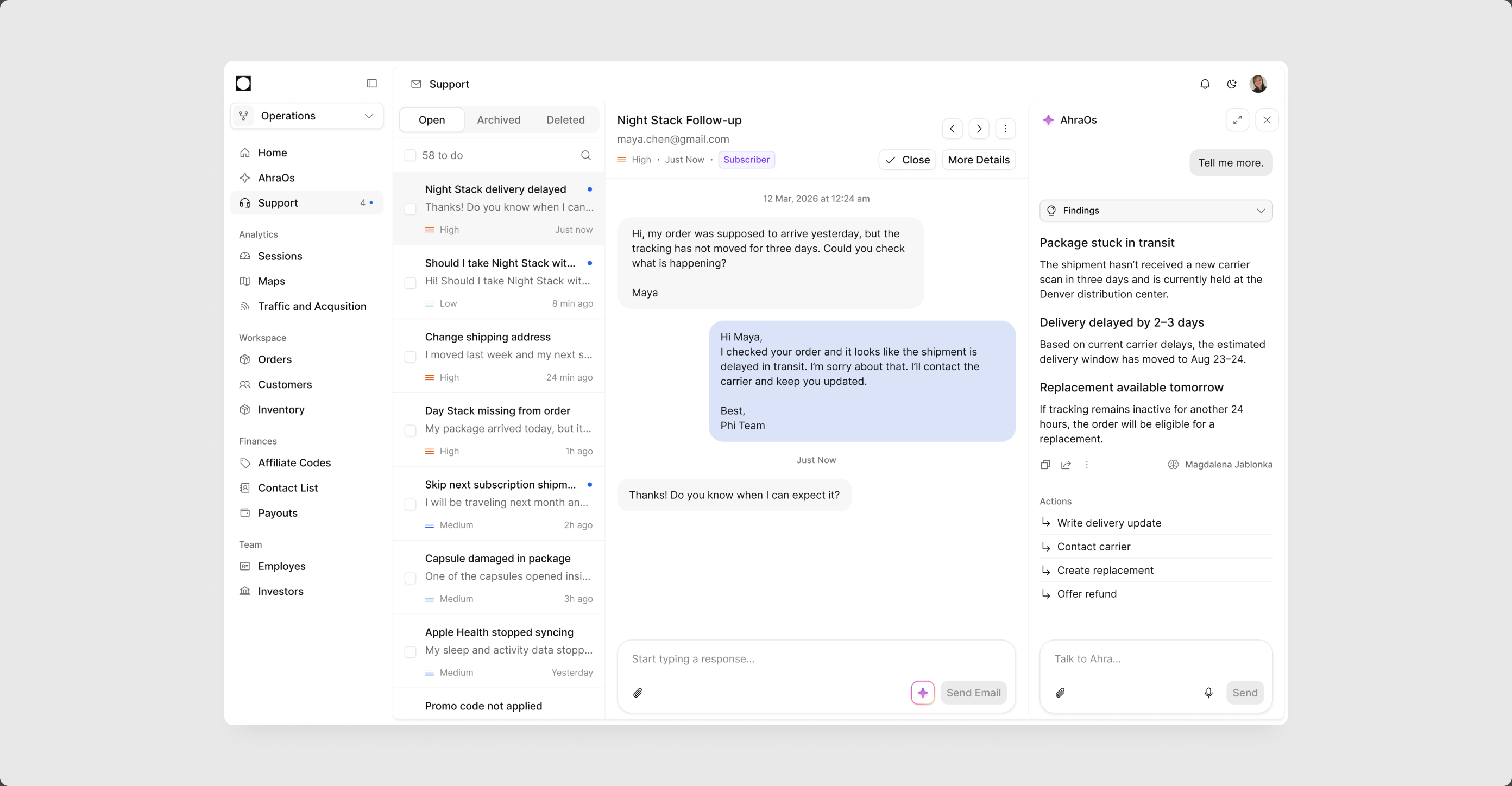
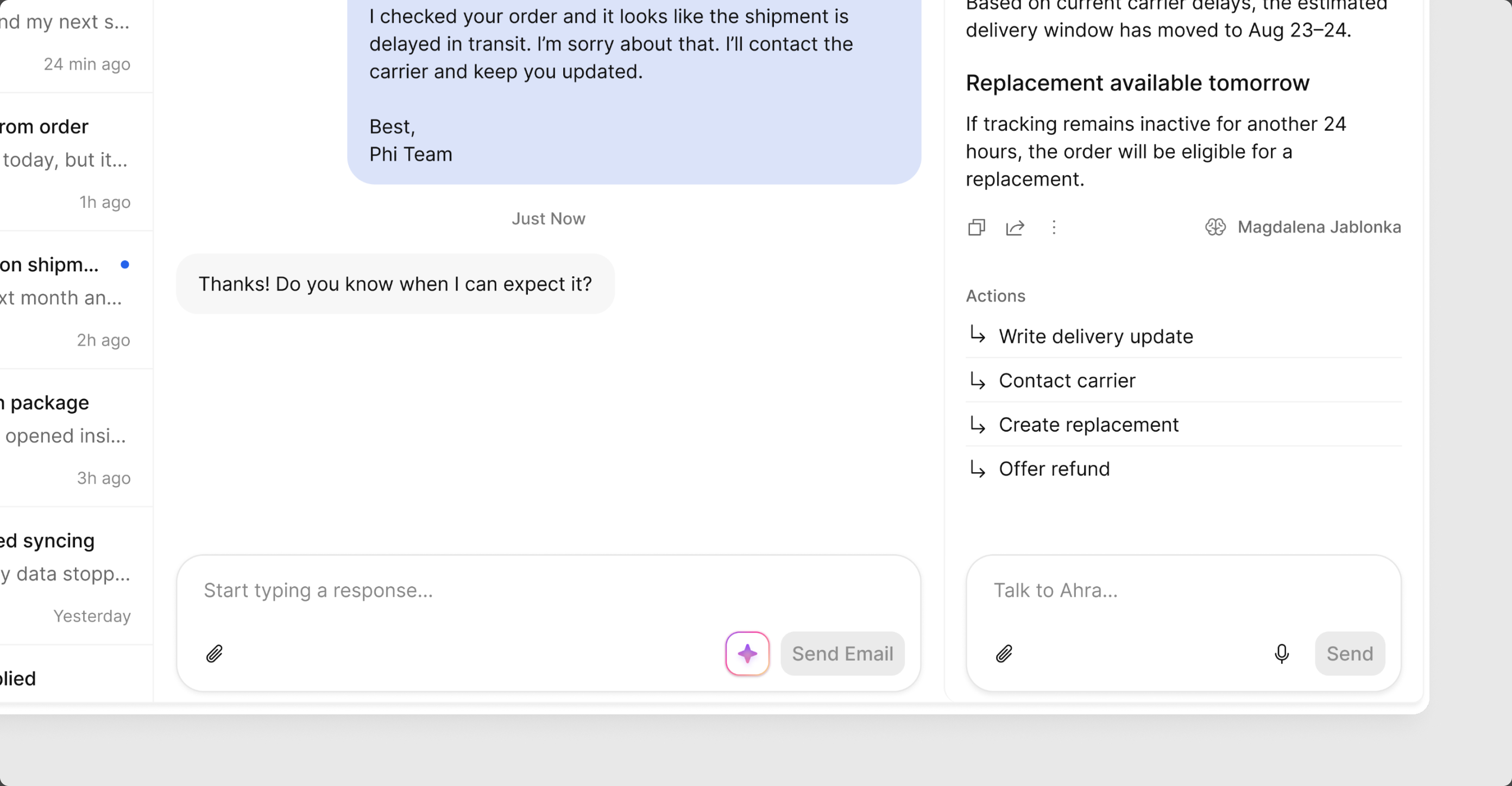
Today. The thread in the middle, AhraOs on the right with findings about the order and four actions: write the delivery update, contact the carrier, create a replacement, offer a refund.
Findings are plain statements with a reason, and every action is one click. Consistency comes from Ahra remembering the customer, not from whoever is on shift.
The first version, built in two days. Two panels, Gmail threads, a writing tool to answer in. It carried support on its own for a long time.
The same inbox simplified for the phone: filters, list, thread, reply. Enough to answer a customer from anywhere.
One table, one detail page, one set of filters. Every tool in Ops is built from these foundations.
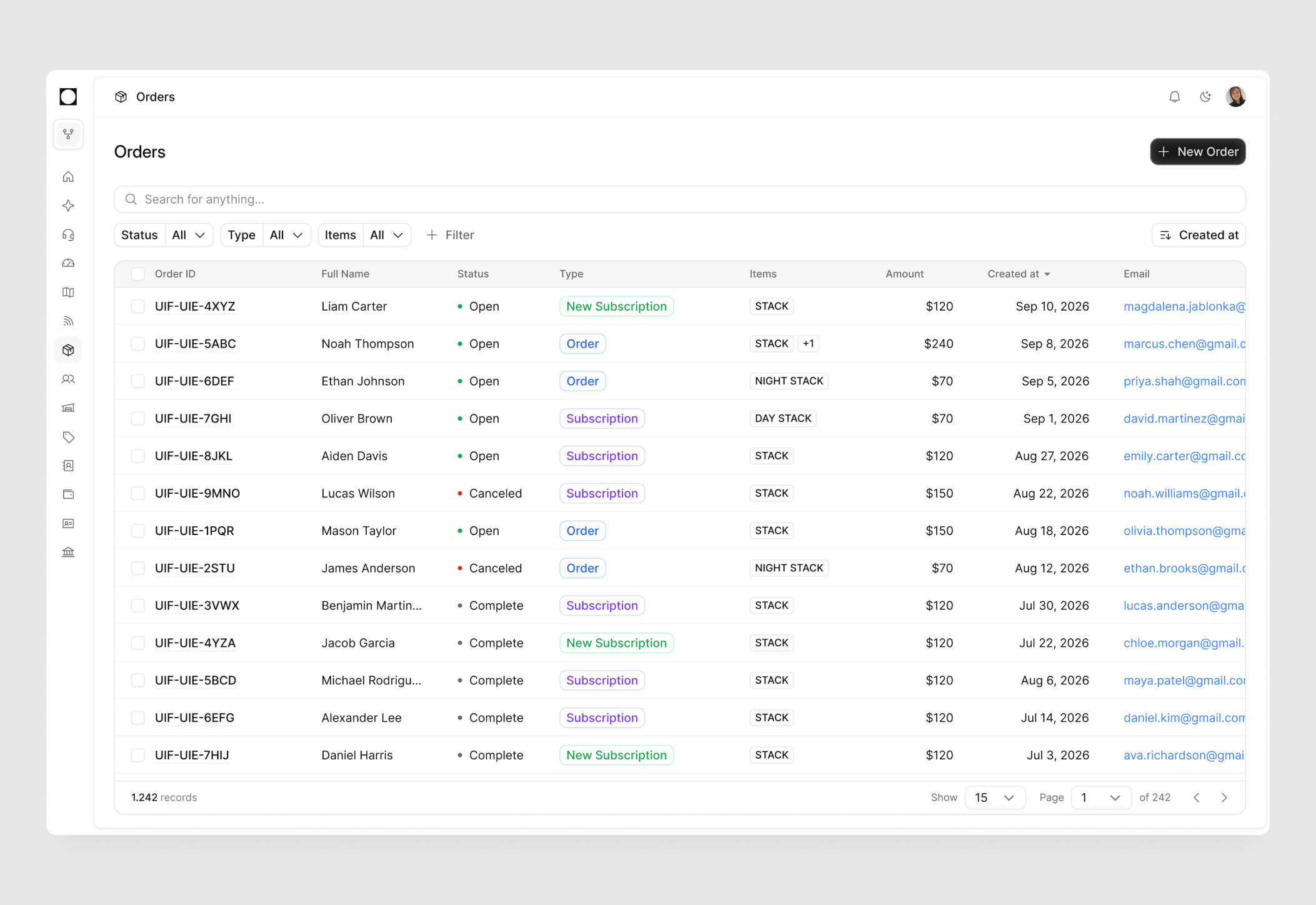
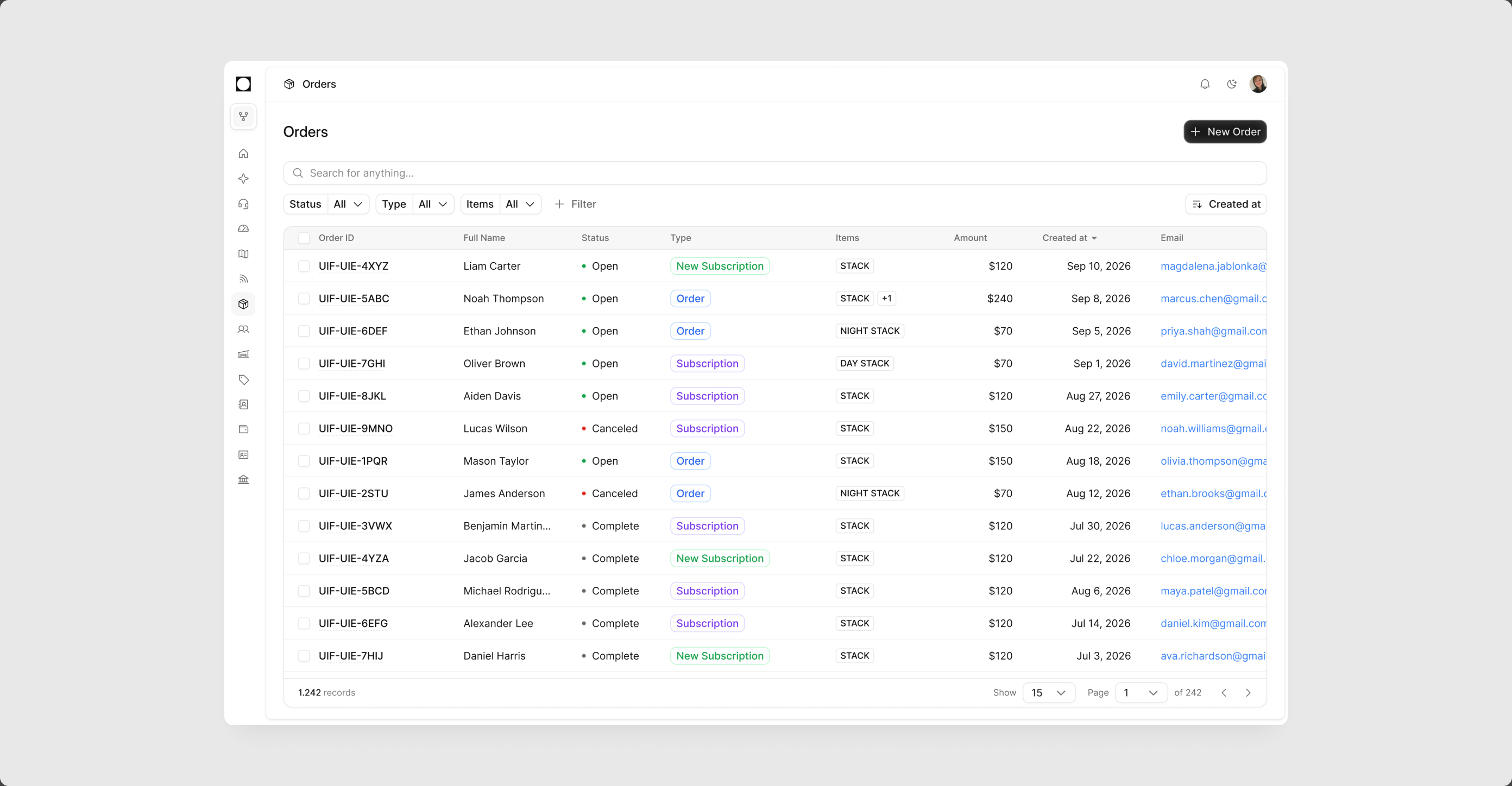
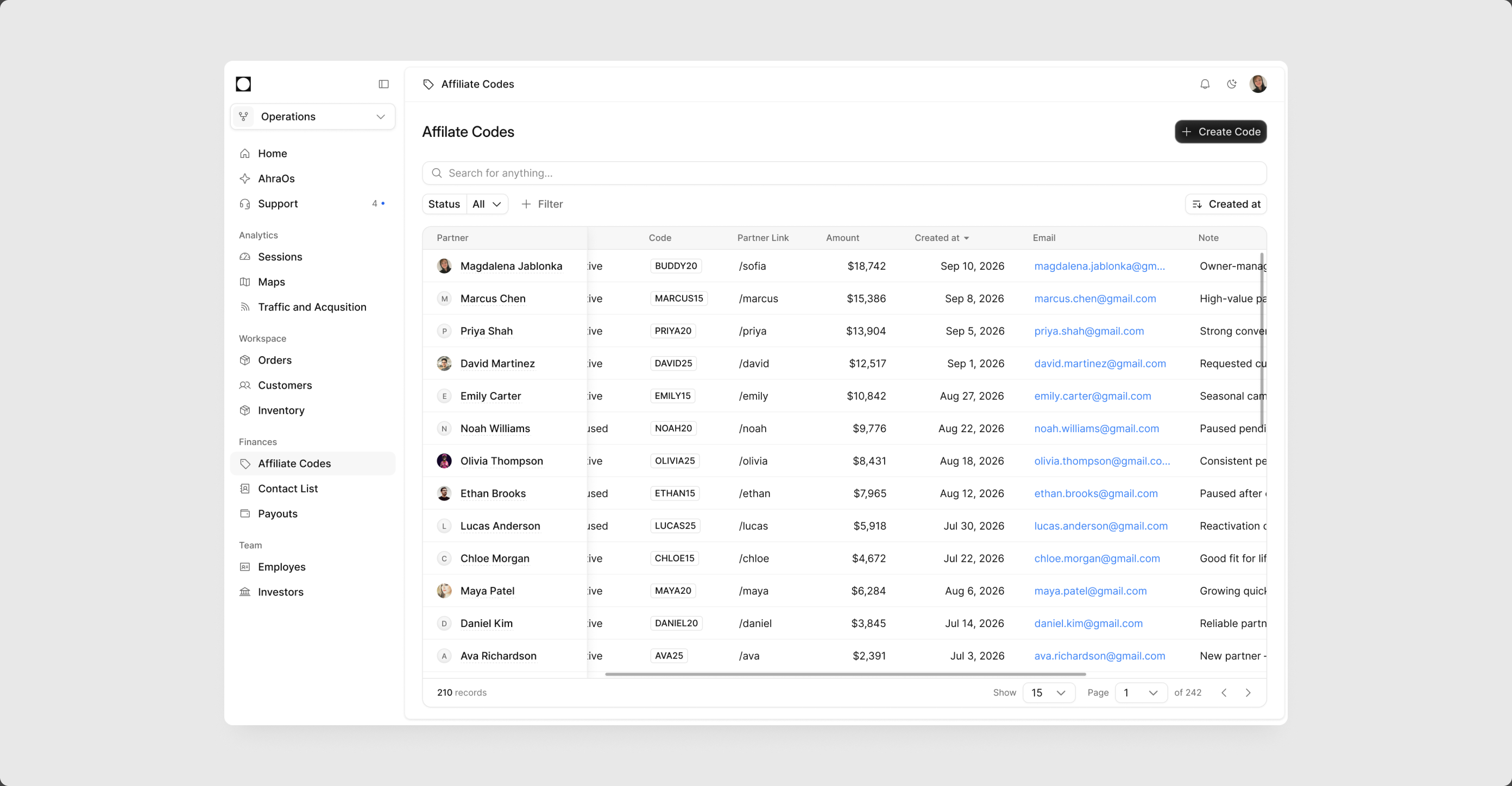
Early Ops had the data and nothing else: a plain list, a plain detail, no hierarchy, nowhere to click. I built the foundations once, in code. A table with search, filters, tags and pagination, a detail page with cards and a timeline, a pinned first column for wide data. Orders got them first, and every later tool starts from the same parts, as a working screen, not an empty one.
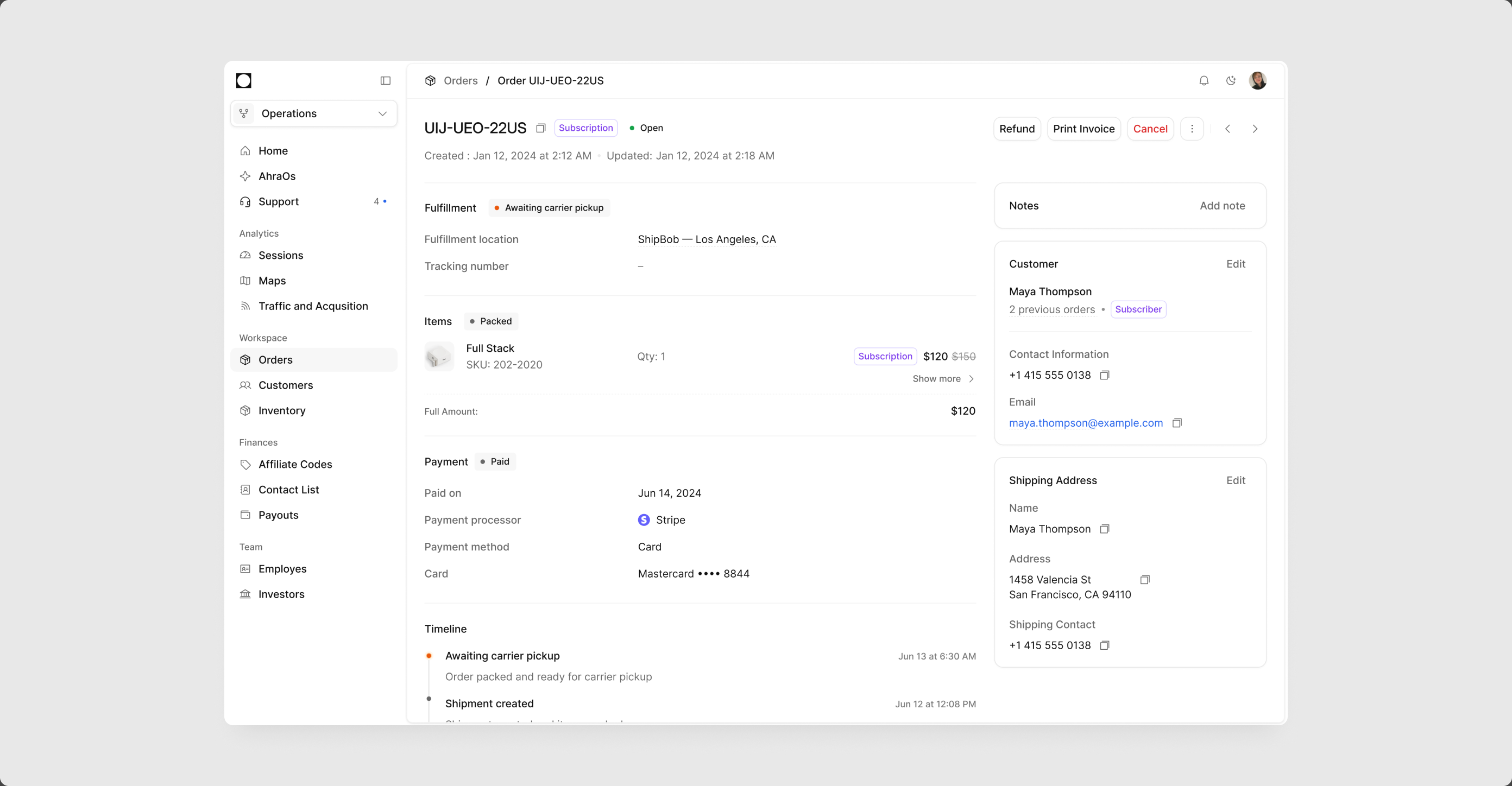
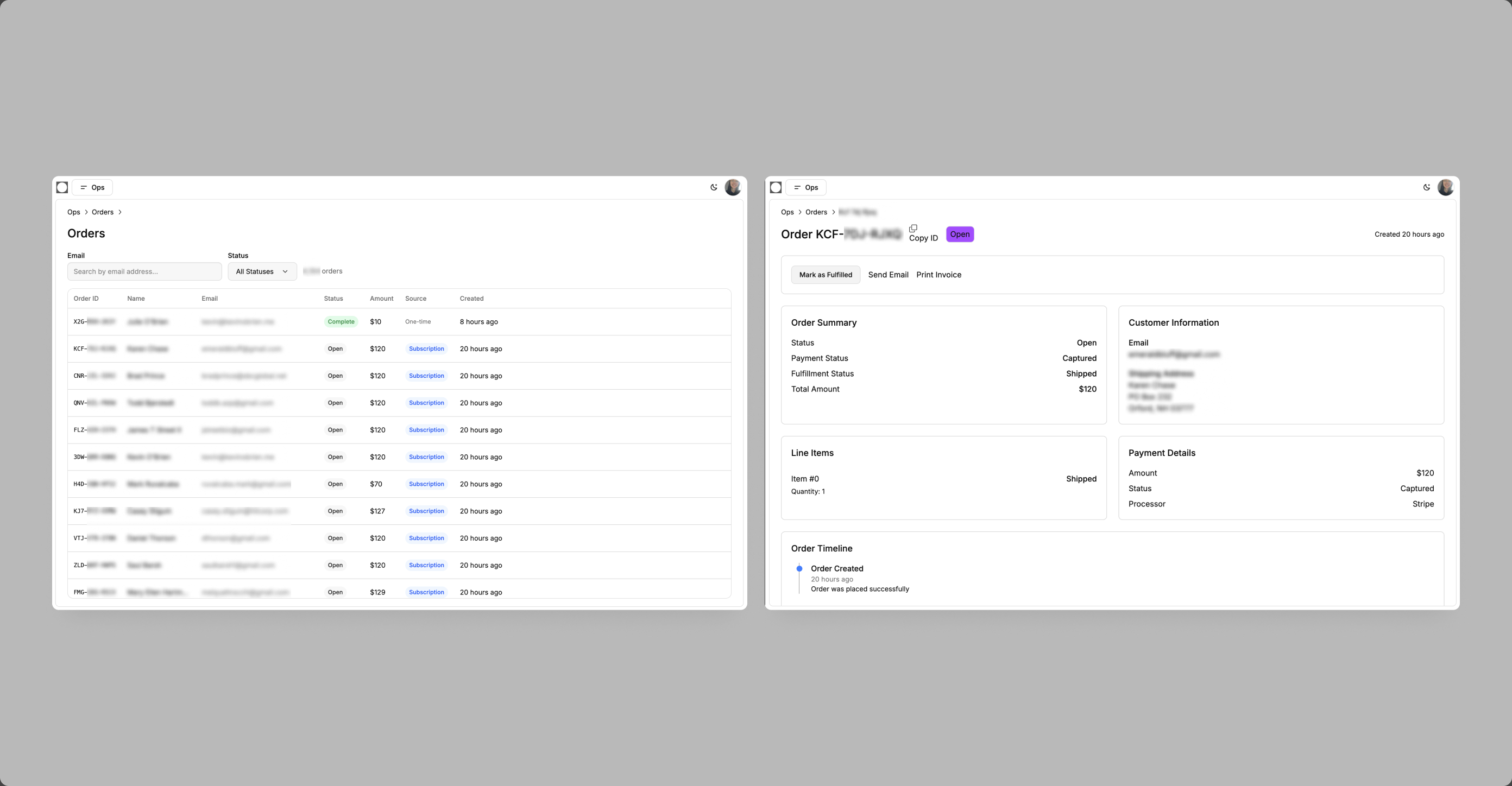
The detail page. Fulfillment, items, payment and a timeline on the left, customer and shipping cards on the right, actions in the header where ops looks first.
The table. Search, status and type filters, tags for order type and items, sorting, pagination. The same table serves every list in Ops.
A wide table. The partner column stays pinned while the rest scrolls, so a name is never separated from its numbers.
Before. The same orders and the same detail, with no navigation, no hierarchy and nowhere to click. Data, not a tool.
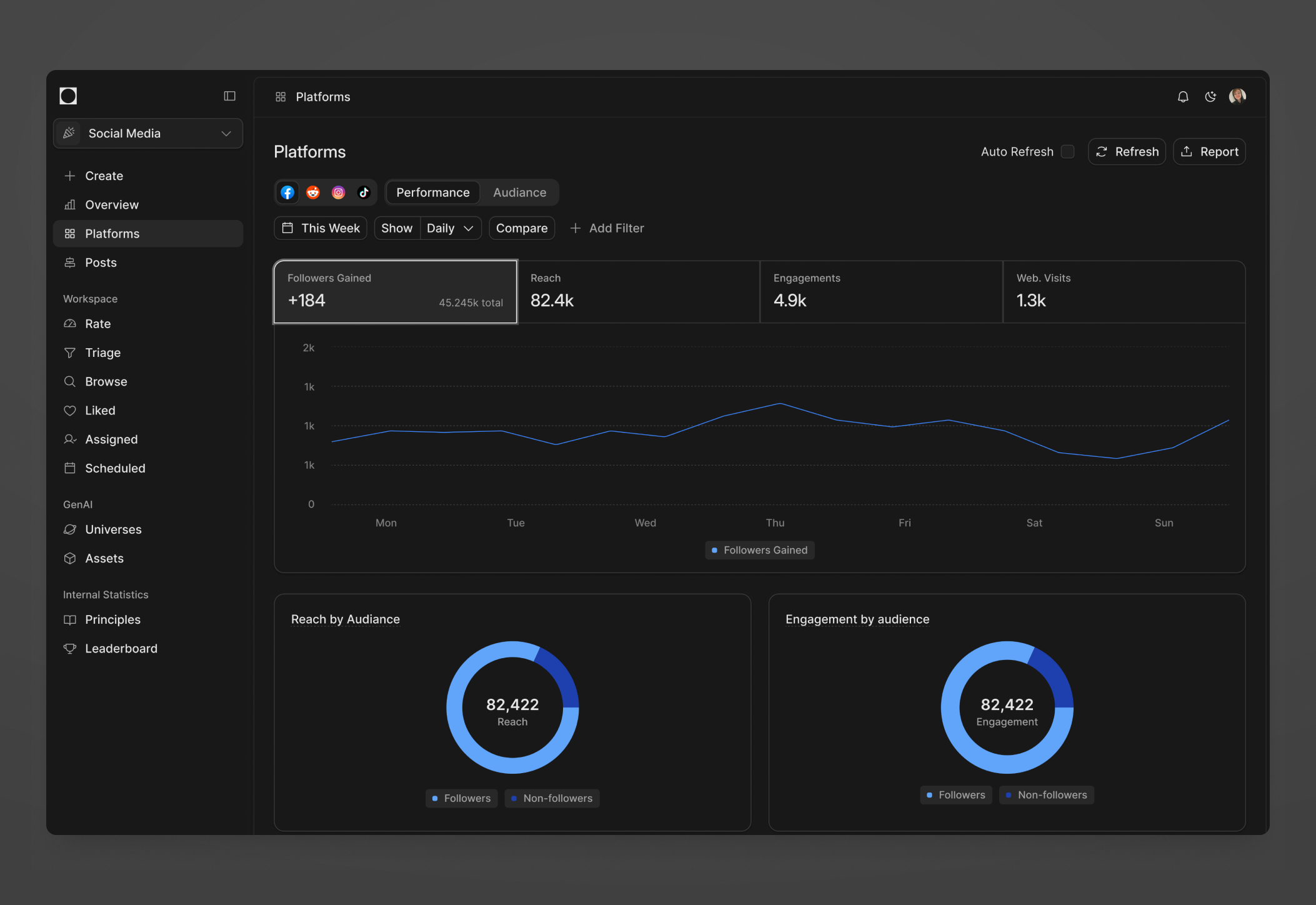
Every social channel on one dashboard, answering two questions fast. Are we growing, are we selling.
Each platform reports differently, and the team did not need four dashboards. The problem was finding the simplest path to one universal view. I kept the numbers that answer the two questions, followers, reach, engagement, web visits, one chart, one week, and let the channel switcher and filters do the rest. Scan first, dig only when a number looks wrong.
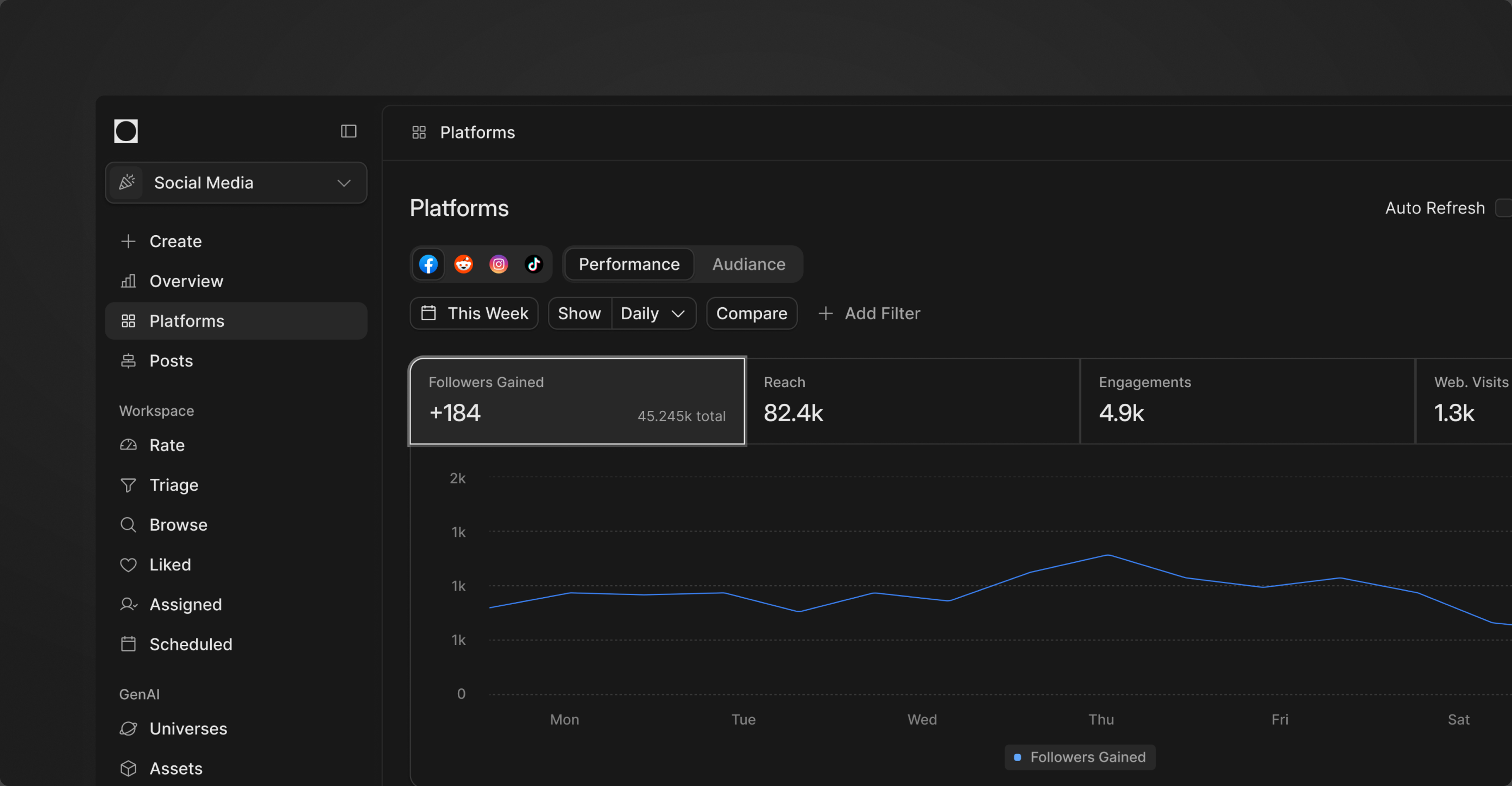
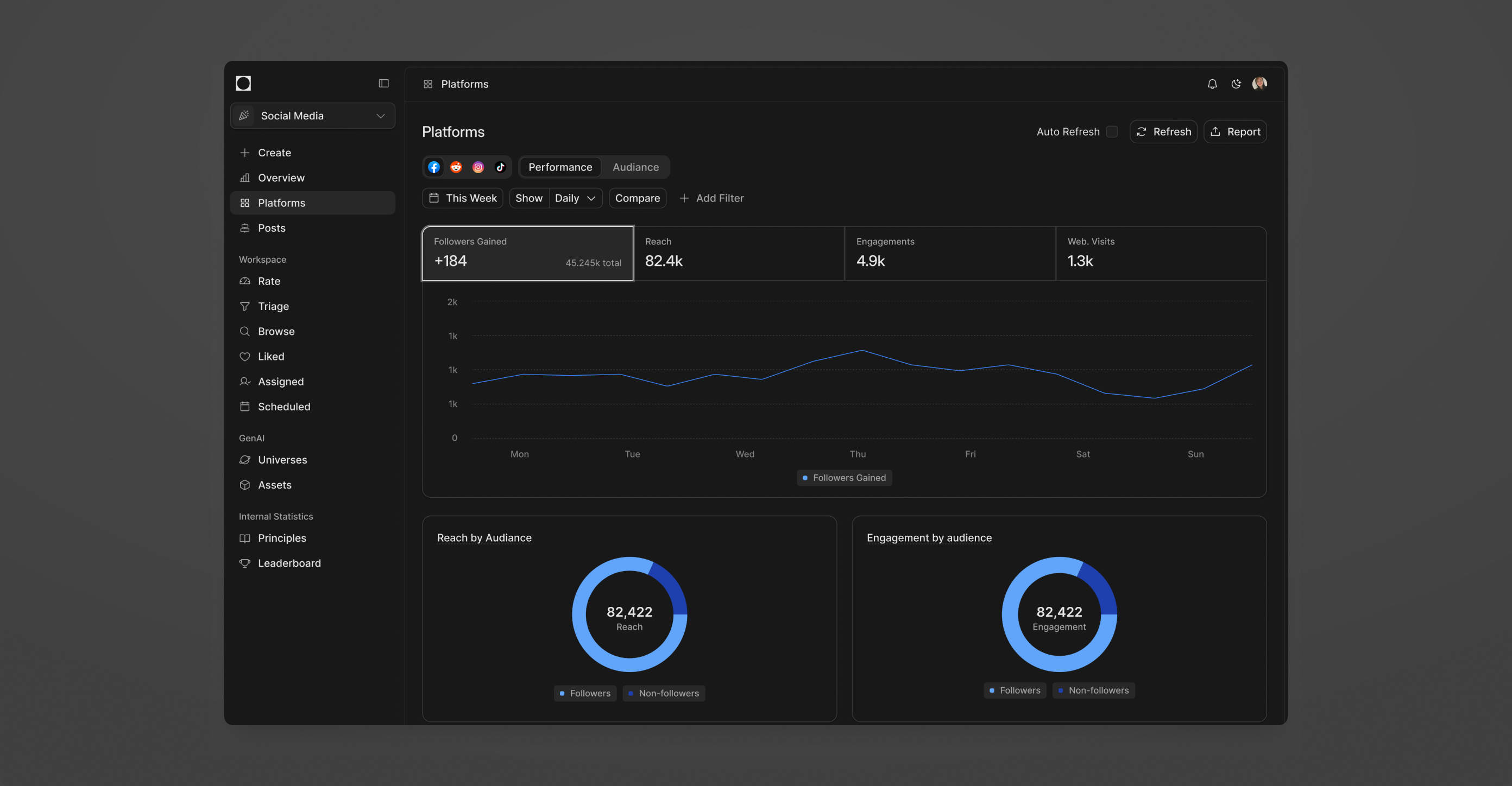
The scan path. Channel, Performance or Audience, time range, then the numbers. Everything else is a filter, out of the way until it is needed.
The whole view. Four channels behind one switcher, four numbers, one chart, then reach and engagement by audience underneath.
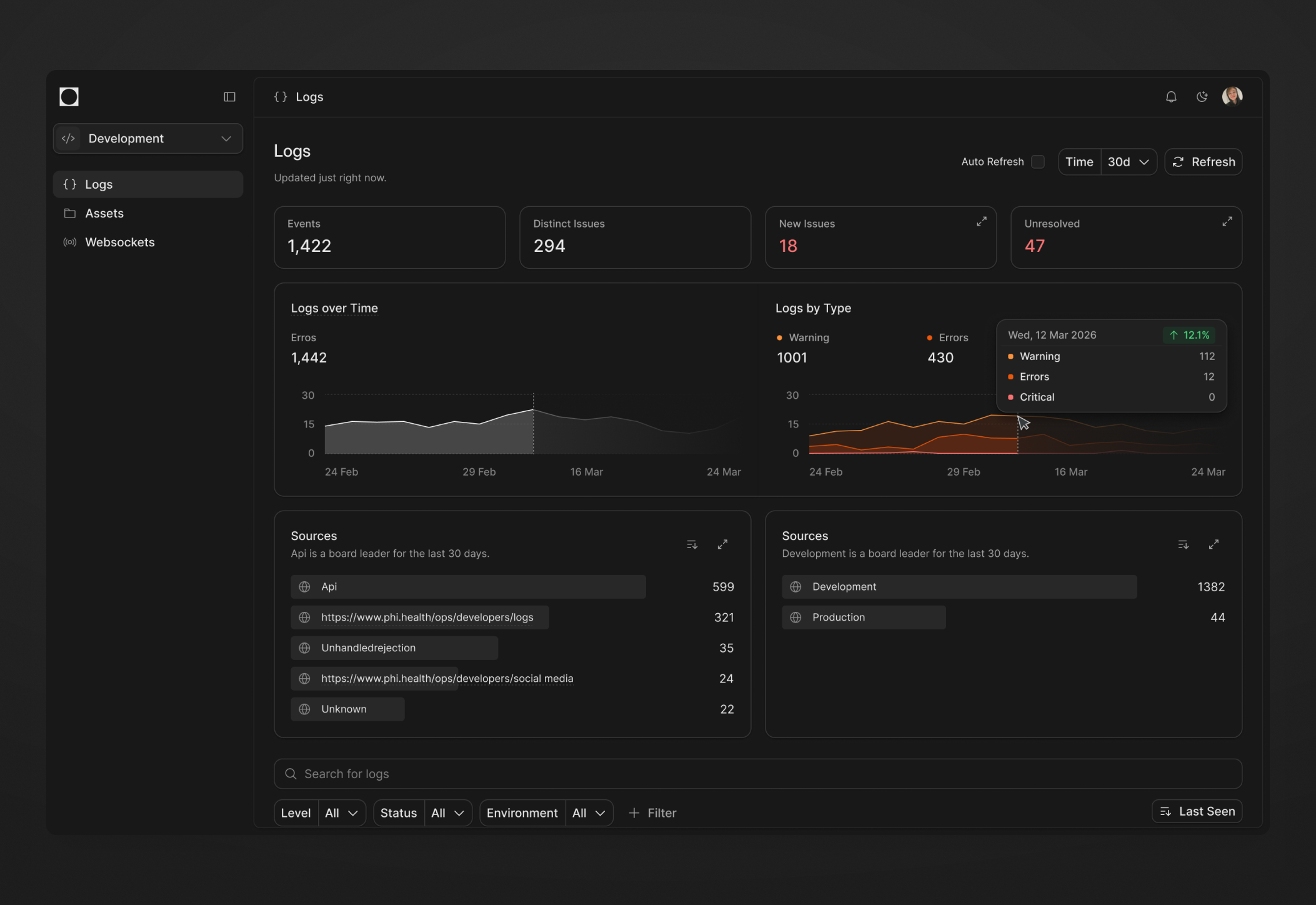
Logs rebuilt in a few passes, so a spike reads at a glance and the issue behind it is one click away.
The first Logs page had the numbers and nothing to do with them. A few passes later: a preview in the table, so an issue opens in place. Warnings and errors on their own scales, one steady total above them. And the weak filter row replaced with the pattern every other Ops table uses.
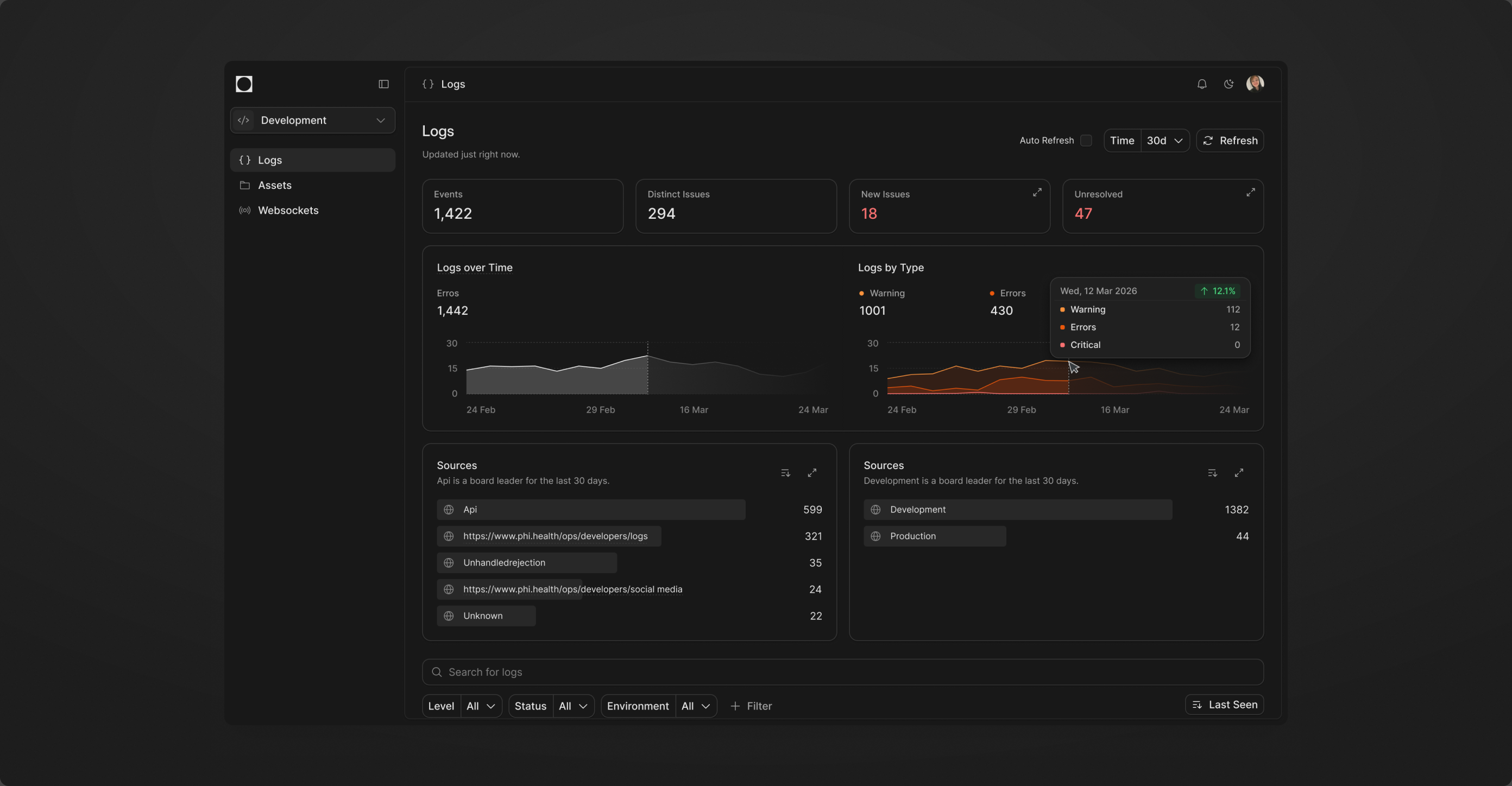
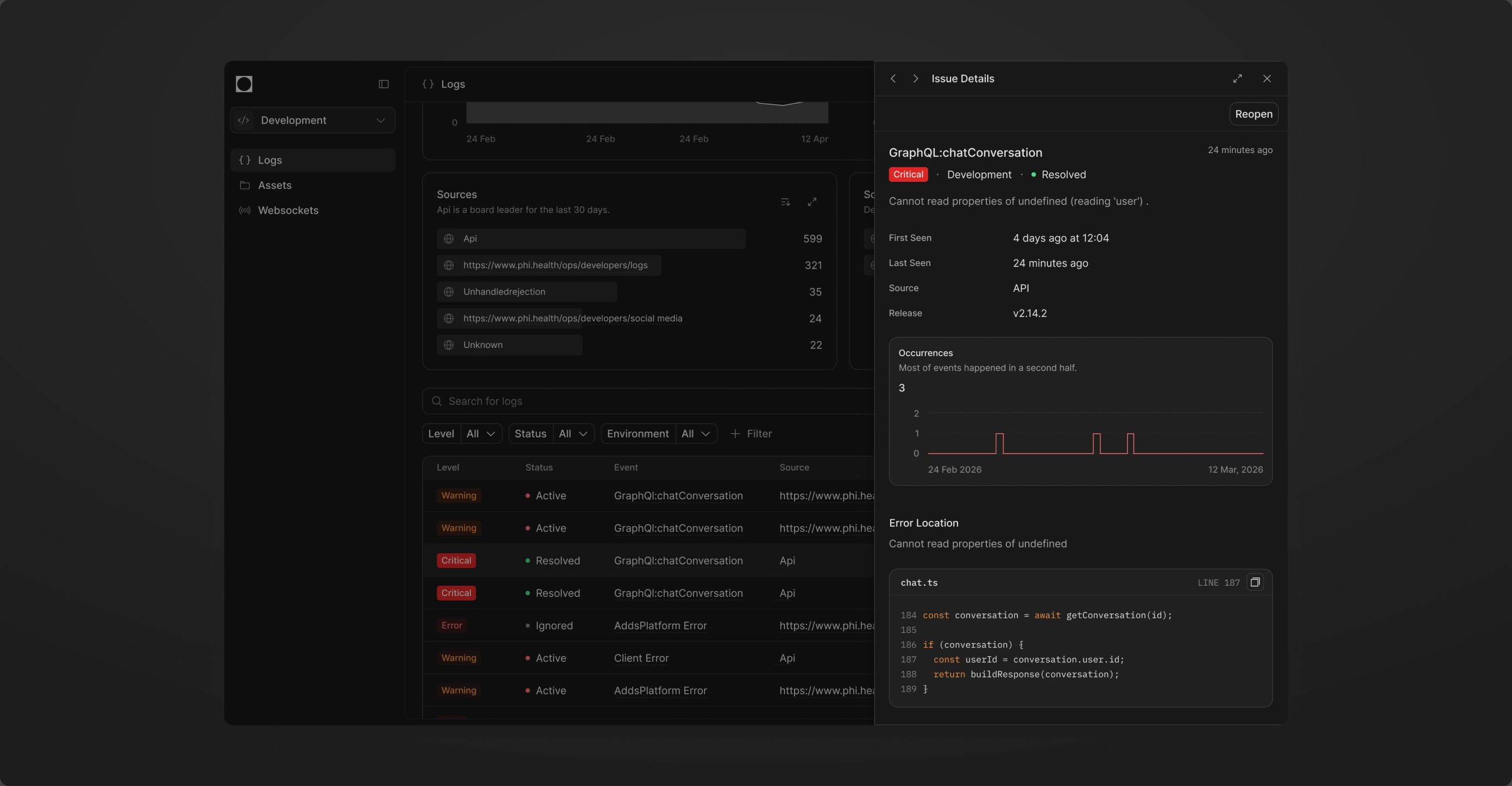
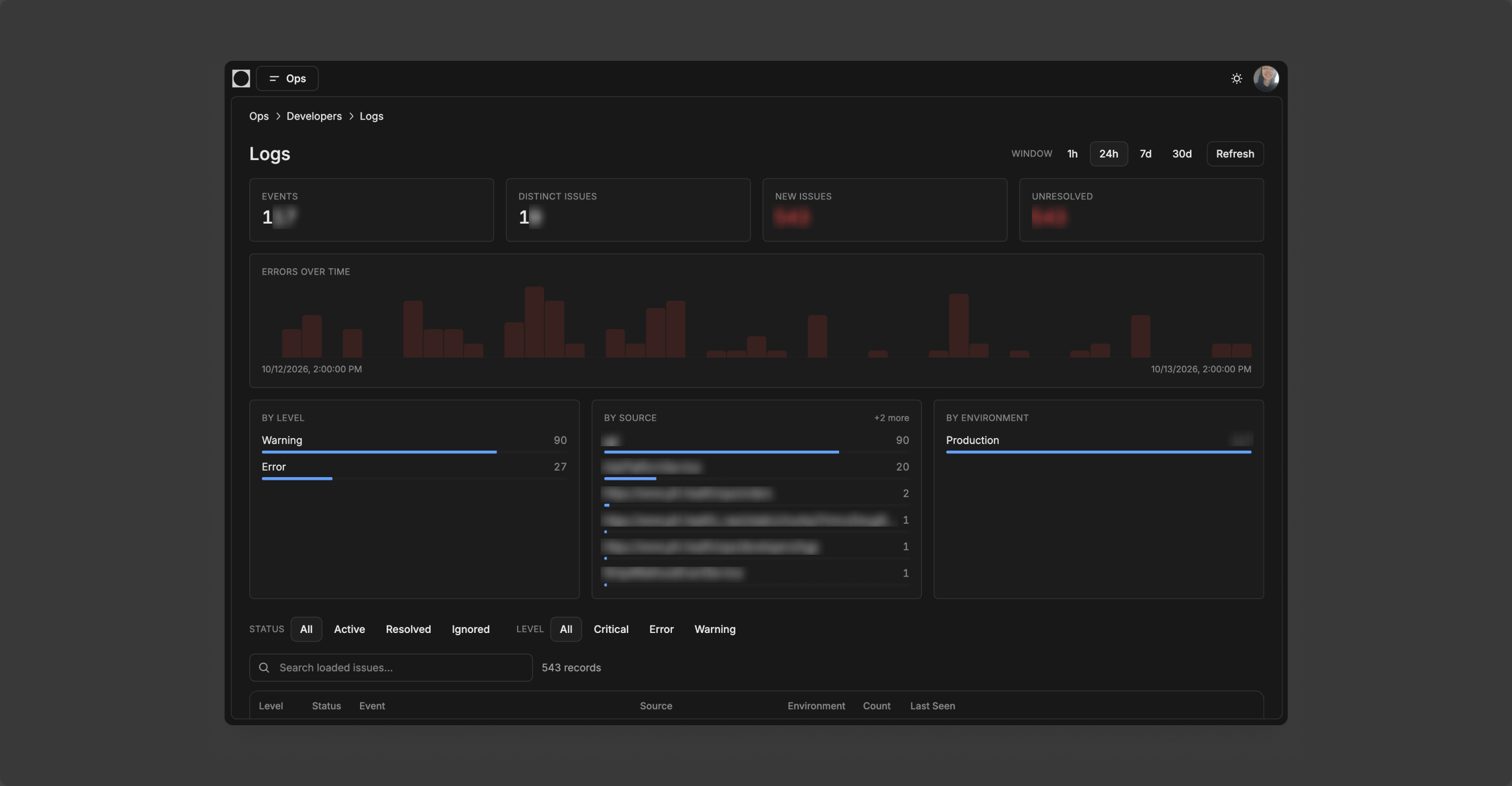
Four numbers, two charts, two source lists. Warnings and errors on their own scale, the total of events steady above them, so a spike in one does not hide the other.
The preview. A row opens in place: first and last seen, release, occurrences over time and the failing line, without leaving the list.
Before. Red numbers, one bar chart, a filter row that did not quite make sense. Data without a way in.
Takeaway
Ops was the first product where I prototyped fast and shipped straight to dev. It gets a better solution out sooner, but it removes none of the thinking around it. The other lesson: for an internal tool, ship the key features and keep moving. In daily use pace matters more than perfection, and polishing details nobody asked for costs more than it returns.
What came out of it in the end is a set of patterns that are safe and still scale. The foundations scale, and so does most of what sits on them.
More screens from Ops2024–2026